
CHRISTMAS PHOTOBOOTH AI VIDEO GENERATOR
Step inside the vintage sepia Christmas photo strip trend from TikTok. Upload 2 portraits to create a 14-second scrolling photobooth video with synced booth music across seven expressive two-shot panels. Pay-as-you-go video generation starts at just 7 credits with zero monthly subscription.
CREATE YOUR CHRISTMAS PHOTOBOOTH STRIP
Upload two portraits · Left & Right Booth Seats
Tip: Choose clear, evenly lit head-and-shoulders portraits for Photo 1 and Photo 2 so both faces look sharp in warm sepia booth lighting.
Video Options
By generating you confirm compliance with our Terms · Privacy · Acceptable Use
14-second video · 7 credits per generation
WATCH EXAMPLES FREE · TRANSPARENT CREDITS · 100% AUTO-REFUND ON FAILED TASKS
WHAT IS THE CHRISTMAS PHOTOBOOTH AI TREND?
Christmas Photobooth AI is a two-person festive video strip generator on Viral AI Video. Upload Photo 1 for the Left Booth Seat and Photo 2 for the Right Booth Seat to generate a 14-second vertical 9:16 sepia seven-panel photobooth reel synced to holiday booth music. Built for couples, best friends, siblings, and holiday creators, it supports Standard, Fast, Pro, and Ultra models across 480p, 720p, and 1080p resolutions with transparent upfront credits starting at 7 credits and zero monthly subscription.
Recreate the nostalgic Last Christmas photo strip from two everyday single portraits: seven sequential booth poses gliding smoothly upward across a pleated photo booth curtain from playful lip-touch winks to cozy raised-fist cheek rests.
Instead of squeezing into a crowded mall arcade booth or lining up fourteen timed phone selfies and border masks in a multi-layer editor, two clear photos animate smoothly together in one automated sepia render without extra props or reshoots.
1-Click Sync · 2 Portraits In, Sepia Strip Out
Photo 1 fills the Left Booth Seat and Photo 2 leads the Right Booth Seat across all 14 seconds while keeping both natural hairstyles and winter outfits consistent across every panel.
Explore holiday photo booth edits in the TikTok Christmas photobooth trend feed.
Content reviewed by Viral AI Video · . Independent AI creative tool, not affiliated with TikTok, CapCut, or ByteDance.
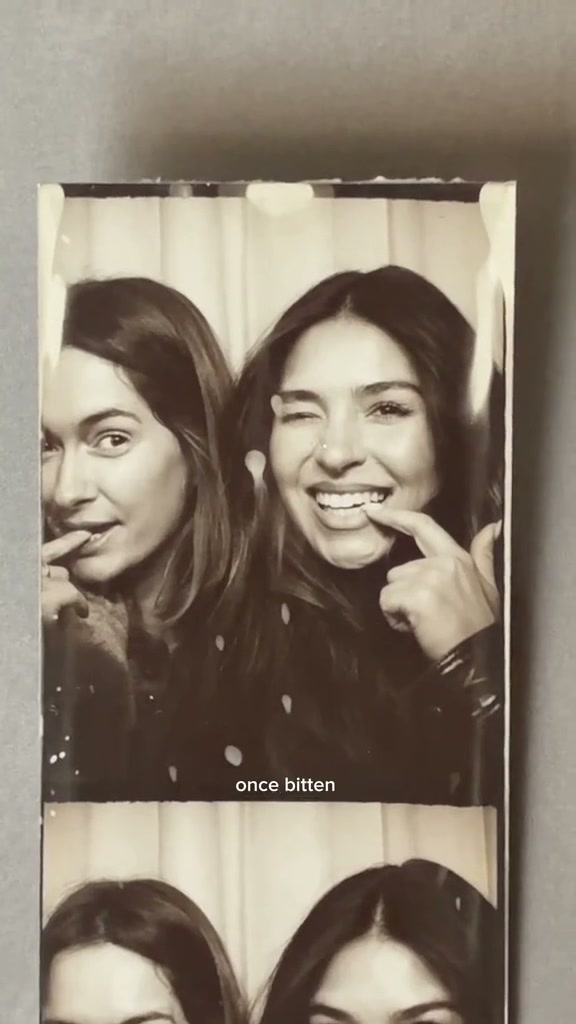
Trending Viral Effects
Explore More Viral AI Video Templates
Jump into other trending meme formats or create custom video remakes.
ATM Christmas Wish AI
Mariah Carey It's Time AI
Cat Taxi AI
Jingle Bell Rock Dance AI
Sia Snowman AI Dance
Thank You Baby AI
Hit the Road Dude AI
Can I Ride Dance AI
Here Comes Santa Claus Dance AI
Pet Rock AI
Hideaway Dance AI
Car Leg Touch Prank AI
Мои слёзы AI
Hotline Bling AI
Bottle Kick AI
Tsundere Dance AI
Deck The Halls Dance AI
Pimp Walk Entrance AI
Groomer vs Dog AI
The Jawn Dance AI
How to Create Your Sepia Holiday Photo Strip in 3 Steps
Upload two portraits, confirm your vertical aspect ratio, and export an audio-synced MP4 strip for TikTok or Reels.
Upload Both Seat Portraits
Add two separate clear adult portraits right inside the studio: Photo 1 fills the Left Booth Seat and Photo 2 anchors the Right Booth Seat, or scan the QR code to pull selfies straight from your phone camera roll.
Choose Resolution & Check Quote
Keep 9:16 vertical for Shorts and TikTok or choose 1:1 / 16:9 framing. Standard 480p costs 7 credits for the complete 14-second scrolling booth strip, with live totals updated upfront before rendering.
Export Your 14s MP4 Strip
Preview all seven consecutive scrolled poses with synced holiday sound embedded right inside the clip, then save to desktop or transfer cleanly to your phone camera roll.
Who Belongs Inside Your Holiday Booth?
Skip mall booth lines, chilly outdoor trips, and multi-take phone timers. Cast two everyday portraits into one warm sepia reel ready for December feeds, holiday stories, and seasonal recaps.
Couples & Long-Distance Partners
Bring two separate selfies side by side into one cozy curtain booth reel complete with playful winks, giggles, cheek touches, and Panel 7 raised-fist close-ups.
Best Friends & College Roommates
Seat Photo 1 on the left and Photo 2 on the right for the viral nostalgic Last Christmas friendship recap without needing to be in the same room.
Siblings & Annual Holiday Cards
Turn two crisp solo portraits into a retro monochrome family keepsake strip without manually keyframing collage frames or LUT overlays.
Why Create Your Holiday Booth Strip Here
Upload two clear portraits, confirm quality, and render the full seven-panel vertical scroll with zero manual overlays or timeline keyframes. Standard 480p starts at 7 credits for all 14 seconds with instant upfront visibility.
100% Automatic Refund on Errors
Reserved credits return automatically to your balance whenever a cloud render fails.
1-Click 7-Panel Pose Sync
No booth timer or keyframing needed. Two ordinary photos glide smoothly through every candid pose.
Ready for Every Aspect Ratio
Export 9:16 vertical, 1:1 square, or 16:9 horizontal cleanly up to 1080p on Pro and Ultra.
Synced Audio & Phone QR
Desktop downloads bundle holiday booth music automatically, alongside quick QR transfer to mobile.
Pack Credits Never Expire
Pay only as needed with transparent quotes and zero recurring monthly subscriptions.
Private Uploads & Clear Retention
Save your finished MP4 promptly and review full storage retention details anytime.
Inside the 14-Second Seven-Panel Booth
See how the printed strip scrolls cleanly across all 14 seconds from playful winks to Panel 7 raised-fist cheek rests.
Panels 1–2: Playful Winks & Laughing Giggle
Both sit shoulder-to-shoulder inside the pleated booth curtain with fingertips lightly touching lips while Right winks cheerfully toward the lens, then raise both hands to cover their mouths in a shared candid booth laugh as the sepia strip begins scrolling upward.
Panels 3–5: Eye-Circle, Side Glance & Chin Poses
Frames glide smoothly past playful cheek-glances, an expressive one-eye circle wink gesture, and upward-gazing chin-rest poses bathed in warm monochrome booth flash without awkward clothing changes or clipped fingers.
Panels 6–7: Peace Sign, Chin Cup & Close-Up Fist Rest
Left strikes a cheeky finger-mustache peace sign beside Right beaming over a cupped hand, then decelerates cleanly onto Panel 7 as both lean close and rest cheeks softly on raised fists for an unclipped finish.
Photo Guidelines & Quality Tips
Keep both faces brightly lit and unobstructed so hands, winks, and smiles stay sharp from Panel 1 through Panel 7.
Best Photos for Crisp Sepia Booth Results
- Even Front Lighting Without Harsh FlashSoft daylight or warm indoor lighting renders rich sepia midtones across both faces without washing out eyes, noses, or jawlines during fast scroll transitions.
- Chest-Up & Straight-Ahead FramingCentered head-and-shoulders portraits fit tightly seated side-by-side booth panels naturally while leaving room for cheek-to-cheek leans and shoulder turns.
- Uncovered Eyes, Lips & ChinSkip sunglasses, hands covering mouths, or heavy hair strands so winking, surprised gasps, and chin-resting poses stay clear across every single vertical frame.
- Two Distinct Adult PortraitsUpload two different people for Photo 1 and Photo 2 so the left seat and right seat keep distinct facial expressions, winter outfits, and hair details.
What to Check Before Sharing
- iUpfront Live Credit PricingStandard 480p clearly quotes 7 credits before generating all 14 seconds, with no hidden recurring membership fees or forced upgrades.
- iCheck All 7 Scrolled PanelsPlay the full 14-second clip from Panel 1’s wink down to Panel 7’s close-up smile before saving or posting to TikTok, Reels, and Shorts.
- i100% Automatic Credit Refund on ErrorsIf any cloud job fails during synthesis, reserved credits automatically return to your account balance without opening a support ticket or waiting days for manual review.
- iInspect Preset & Pricing Free FirstWatch the photobooth example and compare Standard and Pro quality tiers free before confirming any credit spend on your uploaded holiday portraits.
How Does This Christmas Photobooth Strip Generator Work?
Each uploaded portrait provides its own facial features, hair, and winter outfit styling while the strip follows our locked seven-panel booth choreography across 14 seconds. Every panel keeps both subjects in realistic plaid booth seating with clean sepia film tones, smooth camera pans from the left bench to the right bench, and synced holiday sound ready for instant desktop MP4 download or mobile QR saving.
Whether you are creating a long-distance Christmas gift, a couple countdown post for December, or a retro 90s photo strip for best friends, you skip studio queues and manual timeline alignment completely. Upload two clear adult photos, verify your portrait licensing consent, pick Standard or Pro resolution, and receive a ready-to-share vertical 9:16 holiday reel with zero watermarks.
Check current credit options, failed-task and payment refund rules, and photo processing and retention before generating.
Christmas Photobooth AI — Frequently Asked Questions
QHow do I make the Christmas Photobooth AI video strip?
QCan I use Christmas Photobooth AI for free without a subscription?
QHow many credits does a 14-second strip cost, and what if a render fails?
QWhy does this studio require two separate portraits?
QDoes it work like the Once Bitten / Last Christmas photobooth TikTok trend?
QWhy use an AI booth strip generator instead of manual CapCut cutouts?
QWhat photo style produces the cleanest sepia photobooth result?
QDoes the generator change our everyday sweaters, scarves, or hairstyles?
QWill my generated video include holiday music on both desktop and phone?
QWho can be featured in a Christmas Photobooth AI video?
Make Your Sepia Christmas Photo Strip Tonight
Upload two portraits, review your upfront credit quote, and export your 14-second scrolling booth video with music.
MP4 download · Phone QR option · Sitewide credits