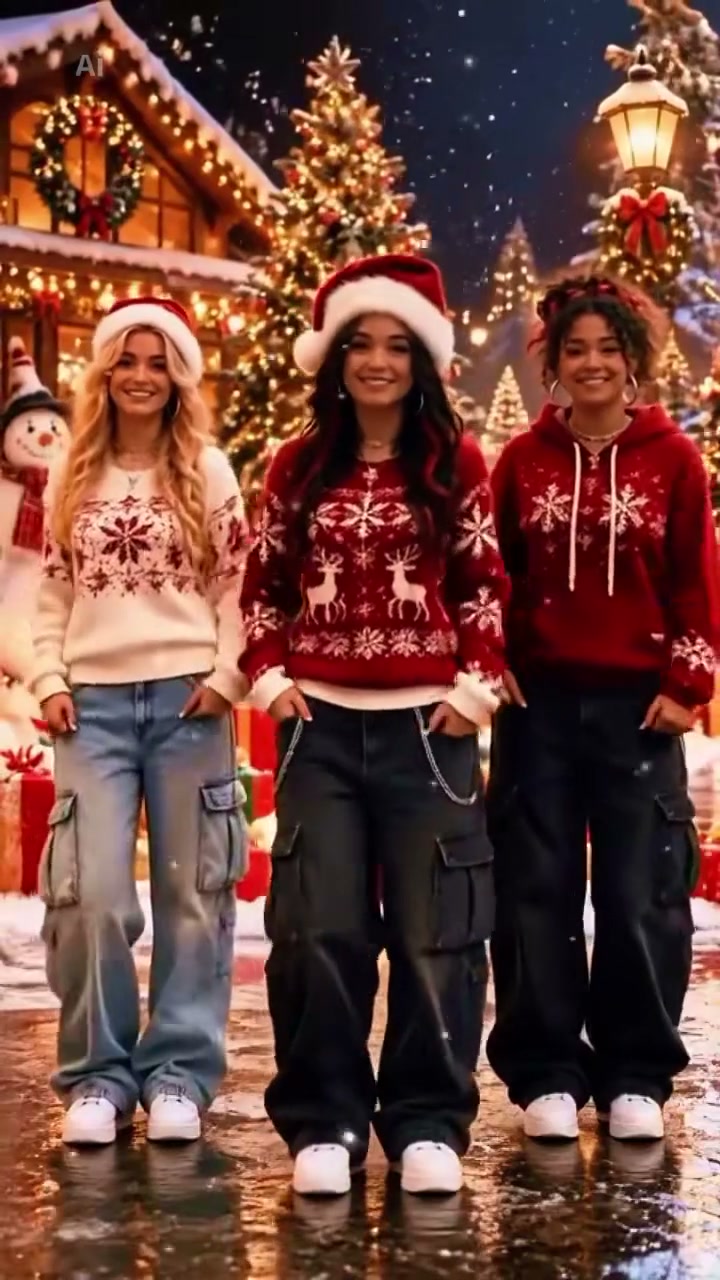
See Christmas Photobooth AI in Action — No Prompt Writing Needed
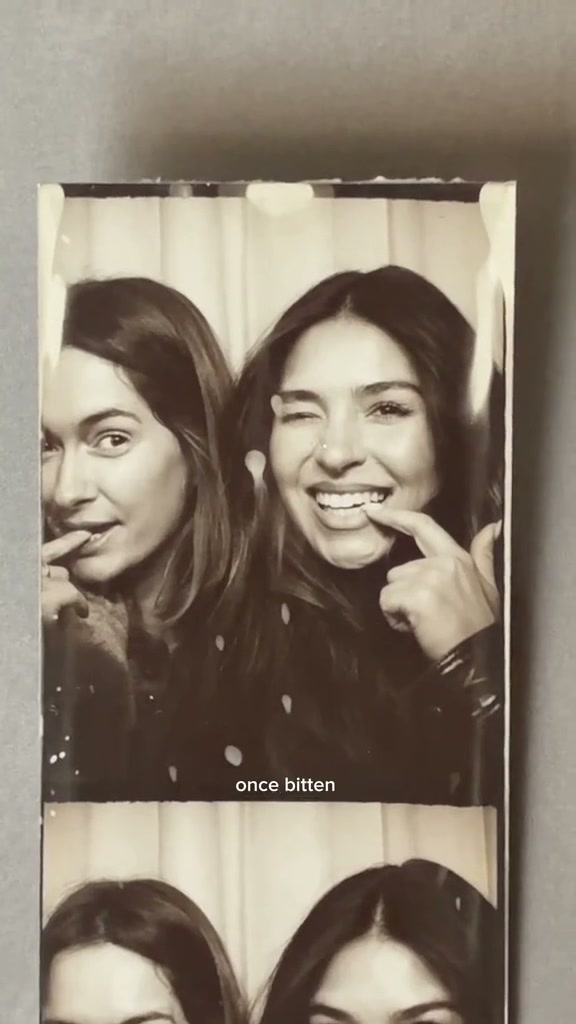
Warm sepia photobooth scroll inside a classic curtain booth—turn two everyday portraits into the full 14-second seven-panel Christmas strip with synced poses and sound.
Christmas Photobooth AI casts two adult portraits inside the viral seven-panel sepia photobooth strip trending every December. Upload Photo 1 for the Left Booth Seat and Photo 2 for the Right Booth Seat to render all 14 seconds of cozy booth poses and continuous strip scrolling from 7 credits.
- 1Fixed two-seat booth setup: Photo 1 anchors the Left Booth Seat and Photo 2 leads the Right Booth Seat.
- 2Seven-panel vertical scroll: glides from playful fingertip lip poses and winks into Panel 7 raised-fist cheek rests.
- 3Clean sepia booth lighting: soft warm monochrome flash across pleated curtains without burned-in caption stickers.
- 4No recurring CapCut editing: avoids shooting seven separate couple poses or aligning sliding keyframe masks.
- 5Upfront pay-as-you-go rates: starts at 7 credits (480p); purchased credit packs never expire.
- Duration
- 14 Seconds
- Entry Rate
- 7 Credits (480p)
- Cast Setup
- Fixed Duo (2 Photos)
- Strip Format
- 9:16 Sepia 7-Panel
Why Timing and Tight Shoulder Framing Make the Booth Strip Believable
Every December, vertical photo strip edits paired with Last Christmas ("Once bitten and twice shy...") flood TikTok and Instagram Reels. Viewers linger on the reel because each frame acts like a printed vintage strip sliding smoothly past the camera—two people sitting hip-to-hip inside an old mall booth curtain, cycling through candid reactions between flashes.
Shooting that strip manually takes dozens of retakes, matching sepia LUT grading, and tedious CapCut keyframe masking to slide seven white-bordered frames without jitter. Instead of staging a real booth visit, starting from two clear portraits lets you lock all seven two-person poses in one 14-second clip. And if you also want a choreographed holiday dance follow-up after posting your booth strip, try Jingle Bell Rock Dance AI on a matching pair of festive outfits.
Frame-by-Frame 14-Second 7-Panel Breakdown
| Timestamp | Phase | What Happens on Screen | Why Your Photo Matters Here |
|---|---|---|---|
| 0.0–2.0s | Panel 1 · Lip-Touch & Right Wink | Left Booth Seat holds fingertips lightly near the chin and mouth while Right Booth Seat playfully touches near their lips and winks toward the lens inside pleated curtains. | Tight duo close-up (Both faces clear) |
| 2.0–4.0s | Panel 2 · Shared Hand-Over-Mouth Giggle | The printed sepia strip scrolls smoothly upward, capturing both subjects raising curved palms over their mouths in a candid booth laugh. | Upper faces, eyes & foreheads clear |
| 4.0–8.0s | Panels 3–4 · Cheek Glance & Eye-Circle Wink | Left glimpses left beside an angled cheek hand before framing one eye in a playful OK circle as Right winks and points cheerfully at their own cheek. | Alternating cheek angles & crisp eye contact |
| 8.0–12.5s | Panels 5–6 · Finger-Chin & Peace Sign Smile | Panel 5 shows Left looking upward with a chin finger beside Right’s poised cheek touch; Panel 6 pairs Left’s playful peace sign with Right’s bright chin-cup smile. | Expressive brows, smiles & hand clarity |
| 12.5–14.0s | Panel 7 · Cozy Raised-Fist Cheek Rest | The vertical scroll decelerates cleanly onto Panel 7, leaving both tucked shoulder-to-shoulder resting cheeks on soft raised fists for an unclipped loop finish. | Hero closing frame (Centered & balanced) |
Sepia Contrast & Portrait Prep for Left & Right Seats
Warm monochrome sepia lighting softens bright backgrounds while amplifying hair edges and facial shadows. Preparing two distinct, evenly lit photos ensures both booth seats stay sharp from Panel 1 down to Panel 7 without melting fingers or blurred jawlines.
Best Two-Seat Booth Photos vs. Inputs That Blur
Because this effect runs on a locked motion preset with zero prompt typing, photo selection accounts for most of the final quality.
Upload Photos Like This
- Upload two distinct chest-up adult selfies facing near straight-on.
- Choose soft daylight or indoor lamp lighting without half-face shadows.
- Pick portraits with uncovered foreheads, clear eyebrows, and visible chin contours.
- Give slight collar or knitwear variety between Left and Right photos.
Avoid These Mistakes
- Uploading the same person twice across Photo 1 and Photo 2 slots.
- Heavy sunglasses, wide-brim Santa hats blocking eyes, or hair over cheeks.
- Shots holding phones directly in front of the mouth or chin.
- Extreme backlit snow photos or blurry low-light flash selfies.
Turn 2 Portraits Into a 14s Christmas Photobooth Strip
Drop Photo 1 here to jump straight into the Christmas Photobooth AI studio, add Photo 2 for your partner or friend, and preview upfront rates from 7 credits.
 14s MP4
AI Photobooth Strip Studio vs. Manual CapCut Edits
Manual TikTok tutorials ask couples to pause and snap seven booth expressions individually, export borders in a collage app, stitch each slice onto a vertical template track, and tweak ease-in velocity curves by hand. Below is how a two-photo cloud workflow compares on time and consistency.
2-Photo AI Strip vs. Manual CapCut Border Keyframing
| What Matters | Viral AI Video Preset | Typical CapCut Template |
|---|---|---|
| Photos Needed | 2 single portraits total | 14 separate coordinated poses (7 per strip) |
| Sepia Booth Tone | Built-in warm monochrome booth flash & pleated curtain | Manual LUT + grain overlay + white border slicing |
| Vertical Scroll Timing | Pre-timed 7-panel upward scroll locked to 14s | Manual keyframe ease curves per lyric line |
| Pricing Model | From 7 credits pay-as-you-go (packs never expire) | Pro subscription required for export filters & templates |
Pre-Post Strip Check & Synced Sound Export
- Double-Check Both Seat Expressions: Preview Panel 4's eye-circle wink and Panel 7's raised-fist cheek rest to verify eyebrows, teeth, and hand silhouettes stay relaxed and distinct.
- Match Your Platform Lyric Timing: Export on desktop with the paired holiday booth audio already embedded, or scan the mobile QR dialog to save directly to your camera roll and select your favorite trending seasonal sound in one tap.
- Upload Clean 9:16 Vertical: Keep the native 9:16 vertical ratio (available at 480p, 720p, or crisp 1080p on Pro/Ultra) so TikTok and Reels display full-height printed strip borders without automated center cropping.