See Talk to Me Doja AI in Action — No Prompt Writing Needed
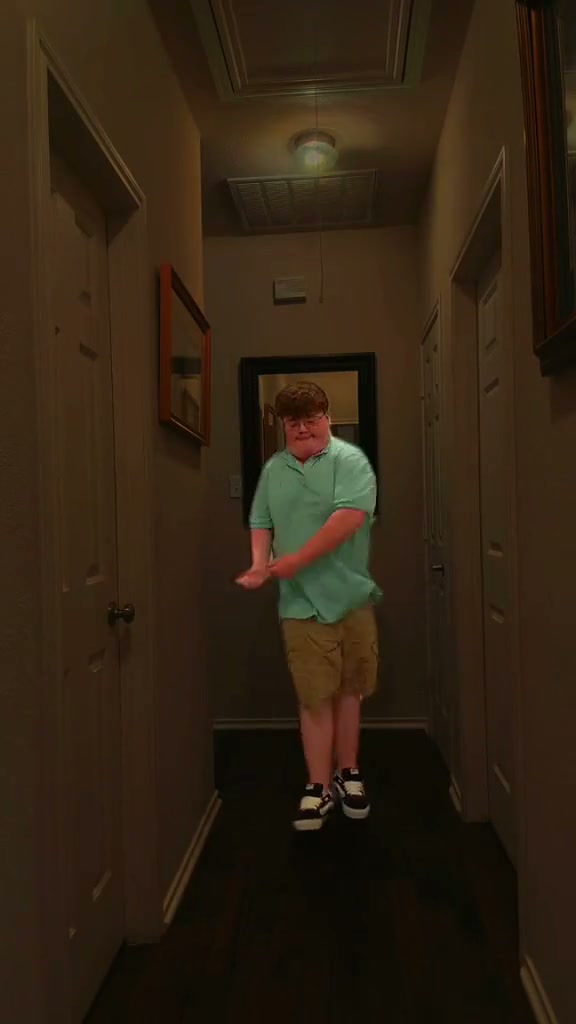
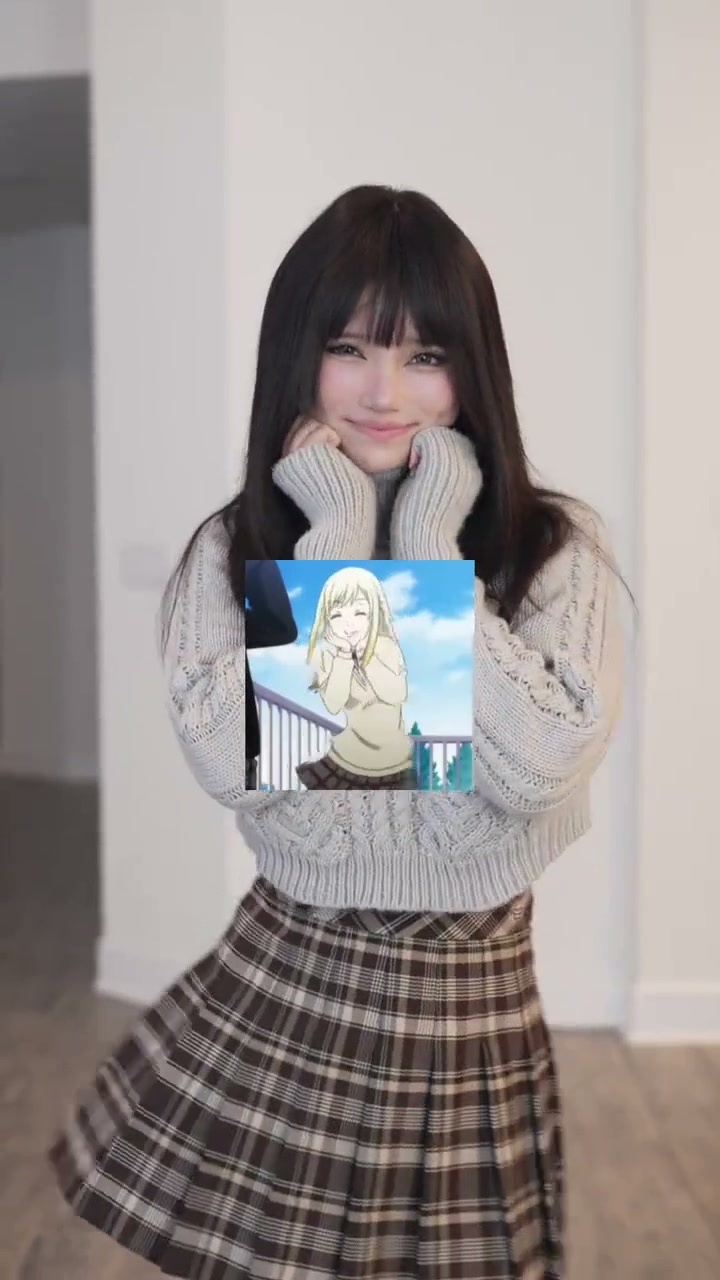
Preview the clean 7-second sunlit hallway sway featuring soft cheek-cupping hands, playful blinks, and rhythmic hip rocks.
Turn one everyday portrait with relaxed hands into a clean 7-second vertical sway MP4 synced to the upbeat trend track—free of pinned anime cutouts—starting at 4 credits.
- 1Designed for one solo subject filmed waist-up inside a bright minimalist white hallway.
- 2Clears square picture-in-picture anime stickers so your sweater or shirt texture stays clean.
- 3Requires a clear front-facing selfie with fingers kept off your jawline and eyes uncovered.
- 4Runs 7 seconds in native 9:16 vertical proportions (or optional 1:1 / 16:9).
- 5Standard 480p starts at 4 credits; purchased credit packs never expire.
- Duration
- 7 Seconds
- Entry Rate
- 4 Credits (480p)
- Subject Cast
- 1 Solo Portrait
- Aspect Ratio
- 9:16 Vertical
Clean Hallway Expression Without Sticker Noise
Searchers hunting for Talk to Me Doja AI or Speak to Me Doja usually discover the meme through TikTok splits showing Urara Shiraishi from Yamada-kun and the Seven Witches bobbing beside sped-up Doja Cat audio. Because the original trend became famous alongside corner anime stickers stamped onto sweaters, traditional video editors end up wrestling with keyframed masks, green cutouts, and awkward cropping before anything moves.
Using a single clear selfie avoids manual keyframing completely—yet your input still decides how believable those tiny cheek-cupping finger curls and coy blinks turn out.
Frame-by-Frame Hallway Beat Map
Every micro-pause across the 7-second hallway clip leans on clear eyebrow contrast and natural shoulder alignment:
7-Second Hallway Sway Breakdown
| Timestamp | Phase | What Happens on Screen | Why Your Photo Matters Here |
|---|---|---|---|
| 0.0s – 2.0s | Hallway Centering & Soft Cheek Cup | Standing centered in thigh-up hallway framing, the solo dancer cups both relaxed palms softly beside their cheeks and greets the lens with an expressive smile. | Upload an unobstructed front portrait showing arms down at your sides so palms lift into position cleanly. |
| 2.0s – 4.0s | Teasing Eyelid Flutter & Side Sway | Eyelids dip briefly into a shy blink while cupped fingertips remain tucked beside the jawline and hips rock gently left and right on tempo. | Keep sunglasses, visors, and heavy bangs out of eye level so eyebrow lifts and blinks remain sharp. |
| 4.0s – 5.5s | Head Tilt & Double Hip Accent | Eyes flutter open into an upbeat grin while shoulders tilt softly sideways and hips pulse smoothly across center hallway frame. | Pick clean solid knits, hoodies, or button-downs without big chest patches so cloth ripples convincingly. |
| 5.5s – 7.0s | Warm Eye Lock & Final Sway | Holding steady eye contact with relaxed fingers cradling the chin line, the dancer finishes with one crisp horizontal glide across the final beat. | Stick to eye-level camera portraits under 15 degrees off center for natural closing eye contact. |
Why Relaxed Hands Beat Pre-Cupped Selfies
One counterintuitive mistake makers hit right away is shooting a still photo while already cupping their face. If knuckles already cover half your chin in your static JPEG, motion prediction tries to move skin and sleeve cuffs simultaneously—creating smudged fingers or extra wrist outlines before beat two.
An unobstructed chest-up photo taken in window light gives the model clean jawline edges before lifting the arms—very similar to the clear-shoulder setup we recommend in You Never Let Her Pay AI solo framing tips.
Selfie Prep Checklist: Clean Cheek-Cupping Likeness
Because this effect runs on a locked motion preset with zero prompt typing, photo selection accounts for most of the final quality.
Upload Photos Like This
- Front-facing waist-up or chest-up selfie with both hands lowered comfortably out of cheek level.
- Bright window daylight or even studio room illumination matching white hallway tones cleanly.
- Open eyes, clear eyebrows, and clean hair parting with zero sunglasses or hair clips hiding the brow.
- Simple sweaters, plain tees, or casual jackets free of giant text stickers across the collar.
- High-resolution original camera photo centered in frame without heavy cropped borders.
Avoid These Mistakes
- Posing with both palms already pressed against your cheeks inside the still upload photo.
- Screenshots snapped off split-screen TikTok remixes carrying text captions or anime sticker boxes.
- Harsh colored neon lights, dim club shadows, or backlit silhouettes hiding cheekbone contours.
- Wide group selfies showing extra friends, pets, or hands reaching across your shoulder.
- Celebrities, public figures, minors, or heavily filtered social avatar edits.
Send Portrait Straight to Studio
Stage Your Clean Selfie Directly Into Studio
Carry one relaxed-hands portrait straight into the 7-second sunlit hallway sway starting at 4 credits.
 7s MP4
Manual Collage Edits vs. Portrait Sway
Classic TikTok CapCut tutorials either bounce a frozen photo on keyframes or layer anime reaction boxes inside split frames. Neither path lets one still selfie smoothly lift both palms, blink naturally, and sway shoulders across a cohesive sunlit hall:
Talk to Me Doja AI vs. Manual Collage Templates
| What Matters | Viral AI Video Preset | Typical CapCut Template |
|---|---|---|
| Cheek-cupping & blink motion | Animates lifted palms, shy eyelid blinks, and rhythmic sways across 7s from one still photo. | Leaves still selfies frozen or forces you to record live video acting on tripod. |
| Zero sticker clutter | Keeps sweaters, collars, and minimalist white walls crisp with no square anime overlays. | Template remixes typically embed sticky green-screen boxes and burned-in captions. |
| Synced MP4 turnaround | Generates ready-to-post 7s vertical video with matched trend sound in one workflow. | Demands manual beat slicing, speed curves, and audio alignment on mobile timelines. |
| Upfront pay-as-you-go rate | Begins at 4 credits (Standard 480p); purchased credit packs never expire. | Recurring Pro features lock exports behind monthly subscription renewals. |
Next up after exporting your solo hallway clip: pair clean upper-body portrait workflows with our comedic anime dance loop in Tsundere Dance AI Creator Guide, or browse more viral clips inside our studio directory.