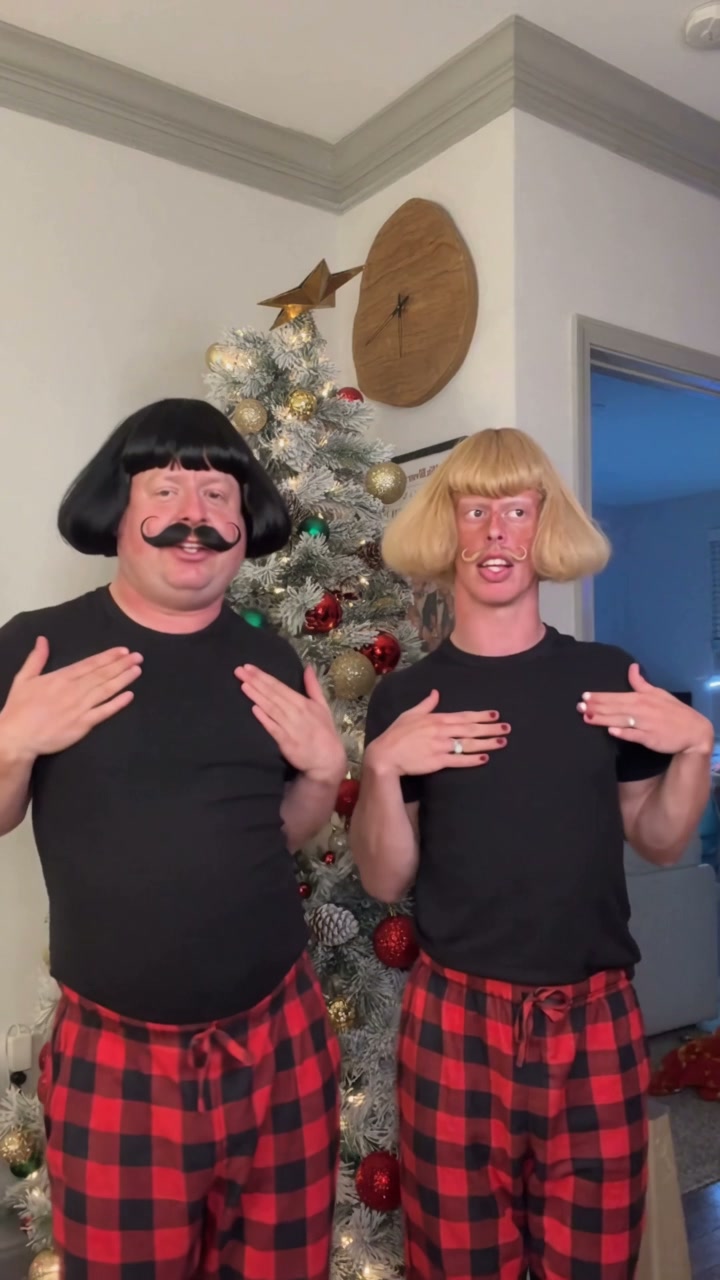
See Sia Snowman AI Dance in Action — No Prompt Writing Needed
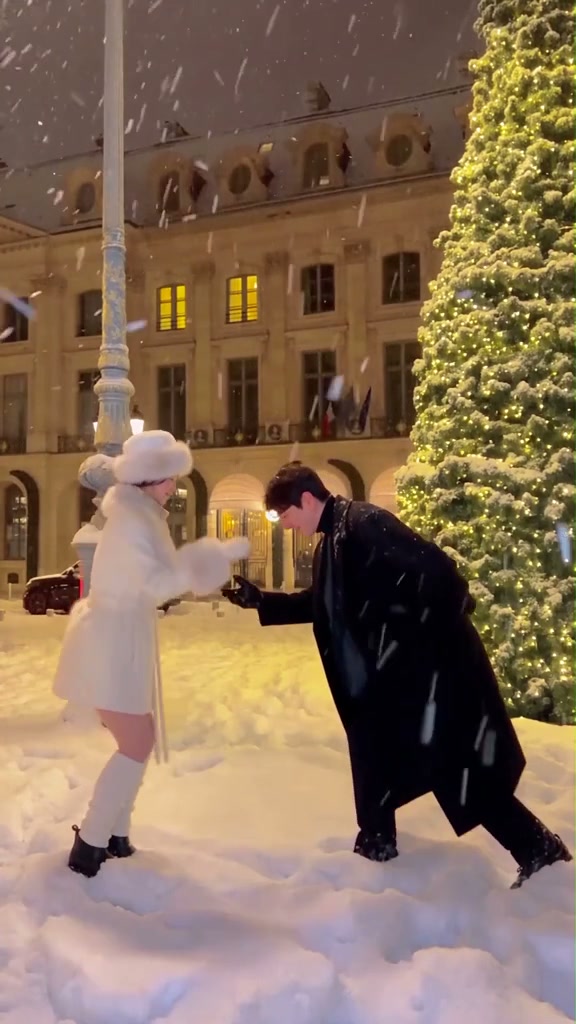
Gallant bow under falling snow beside a golden-lit Christmas tree—animate 1 or 2 adult portraits through the full 12-second plaza waltz embrace and 180-degree turn.
Sia Snowman AI Dance puts one or two adult portraits into a snowy European stone plaza beside a warm fairy-lit Christmas tree and blue-gray street lamppost. Choose Duo, Left Dancer Solo, or Right Partner Solo to render the 12-second opening bow, snowfall ballroom hold, and 180-degree side switch from 6 credits.
- 1Three cast modes: Both Partners Duo (2 photos), Left Dancer Solo (lamppost side), or Right Partner Solo (invitation bow lead).
- 2Original snow-night plaza ambiance: falling flakes, thick snow underfoot, stone building windows, lamppost on left, lit tree on right.
- 3Full 180-degree position reversal: partners smoothly rotate past the lamppost between 6s and 12s while retaining separate faces.
- 4Respects uploaded wardrobes: preserves everyday coats, sweaters, and hairstyles cleanly on your selected slots.
- 5Predictable pay-as-you-go rates: starts at 6 credits (480p); purchased credit packs never expire.
- Duration
- 12 Seconds
- Entry Rate
- 6 Credits (480p)
- Cast Roles
- Left / Right / Duo
- Signature Move
- Bow & 180° Spin
Why Coat Contrast and Lighting Shape the 180-Degree Turn
Unlike hallway holiday challenges lit evenly from overhead bulbs, the trending snowy plaza couple dance unfolds outdoors at night under two competing light sources: golden window glow behind a decorated evergreen tree on frame right, and cool blue dusk light beside a street lamppost on frame left. On top of that split lighting, both dancers sweep into a tight ballroom embrace and execute a full 180-degree counter-clockwise side exchange during the second half of the clip.
When creators feed two dim, moody flash photos wearing matching black puffer jackets, the dark coats merge against the parked car and night pavement right as both shoulders pass center frame. Starting with clean, front-lit portraits that separate shoulder lines—and pairing different outerwear colors in Duo mode—keeps fingers joined at the 6-second embrace and keeps each face unmistakable when Left and Right partners reverse sides at second 12.
12-Second Snowy Plaza Waltz Choreography
| Timestamp | Phase | What Happens on Screen | Why Your Photo Matters Here |
|---|---|---|---|
| 0.0s – 3.0s | Lamppost Wait & Gallant Bow | Left dancer stands poised in the snow near the blue-gray lamppost as Right partner leans forward in a deep invitation bow with one outstretched hand. | Upload an eye-level half-body or full-body photo for Right partner so torso lean and extended fingers form naturally. |
| 3.0s – 6.0s | Step-In & Lifted Ballroom Hold | Beneath softly falling snow and glowing evergreen fairy lights, Left dancer steps forward to clasp Right partner’s hand before raising joined arms to eye height. | Avoid photos with hands tucked deep into pockets or clutching phones so empty palms join effortlessly. |
| 6.0s – 9.0s | Close Snowfall Waltz Embrace | Right partner draws Left dancer inward with one hand at the waist while the pair glides smoothly past the lamppost across fresh snow. | Distinct hairstyles and contrasting coat tones help keep both silhouettes cleanly anchored while bodies overlap. |
| 9.0s – 12.0s | 180-Degree Side Exchange Finale | The couple completes a full 180-degree spin so Right partner lands on frame left and Left dancer lands on frame right, opening joined arms toward camera. | Choose portraits free of sunglasses or heavy night blur so returning frontal eye contact shines on the final beat. |
Night Backlighting & Coat Separation Photo Guide
Snowy evening backdrops amplify glare on lenses and hide muted facial shadows. Use clean daytime or bright indoor inputs to preserve crisp features under the fairy lights:
Best Portraits for the Snowy Christmas Tree Waltz
Because this effect runs on a locked motion preset with zero prompt typing, photo selection accounts for most of the final quality.
Upload Photos Like This
- Evenly front-lit half-body or full-body photos showing head, shoulders, torso, and sleeves.
- Relaxed arms outside pockets with fingers unclenched for clean hand-in-hand ballroom grips.
- Contrasting outfits in Duo mode (for example light cream knitwear paired with dark wool or navy coats).
- Clear unobstructed hairlines and faces without heavy sunglasses or thick ski goggles.
- Two separate single-person adult portraits in Duo mode matching natural proportions.
Avoid These Mistakes
- Submitting identical images into both Photo 1 and Photo 2 (blocked automatically to preserve Duo variety).
- Dark flash selfies shot against bright streetlights where foreheads blow out and chins vanish.
- Tight chin-cropped headshots that leave coat textures and torso proportions ambiguous during the spin.
- Holding purses, coffee cups, or umbrellas in either hand before generating the ballroom clasp.
- Group photos, minors, celebrities, or cartoon avatar overlays.
Test Your Photo 1 In the Snow Plaza Studio
Carry Photo 1 straight into Sia Snowman AI Dance—render Duo or Left/Right Solo over the full 12-second snow waltz from 6 credits.
 12s MP4
AI Waltz Studio vs. CapCut Holiday Cutouts
Many creators searching Sia Snowman TikTok dance first try slot-based editing apps built for recorded couples. Here is why photo-driven choreography solves the hardest parts of outdoor winter filming:
Sia Snowman AI Dance vs. Standard Beat Templates
| What Matters | Viral AI Video Preset | Typical CapCut Template |
|---|---|---|
| Snow filming & freezing outdoor setup | Creates the entire 12s snowfall plaza duet from 1 or 2 everyday photos—warm indoors. | Requires real snow, a decorated outdoor tree, a friend holding a steady phone, and clean waltz takes. |
| 180-degree waist-hold spin physics | Rotates both dancers through perspective changes past the lamppost with continuous fabric and shadow motion. | Static photo stickers look pasted flat on top of snowy clips and tear during body turns. |
| Solo partner rehearsal option | Pick Left Dancer Solo or Right Partner Solo anytime you want to star alongside an AI dance partner. | Leave blank frame gaps unless two live people record every segment together. |
| Coat, sweater & hair fidelity | Transfers each person’s uploaded outfit colors and hair naturally without rigid oval neck cutouts. | Hard circular mask seams break continuity whenever dancers bow forward. |
| Billing transparency | Pay-as-you-go starting at 6 credits per 12s video; purchased credit packs never expire. | Free trim basics, while automated AI cutout and stylize effects gate behind monthly subscriptions. |
Pre-Post 180-Degree Check & Sound Export
Run through three quick checks before uploading your winter waltz clip to TikTok, Instagram Reels, or YouTube Shorts:
- Check the bow-to-embrace hand clasp (
0s–6s): Confirm Photo 1 and Photo 2 link smoothly beside the golden fairy-light tree without stray extra objects in frame. - Verify the side exchange at
9s–12s: Watch the closing half-turn to make sure Right partner finishes clearly on frame left and Left dancer lands smoothly on frame right facing forward. - Export desktop audio or transfer by QR: Desktop MP4 downloads pack synced holiday waltz music right into the file, while phone QR saves deliver the same clip cleanly to your mobile camera roll. Want an upbeat living-room alternative next? Try Here Comes Santa Claus Dance AI or read our 7s tree cross-over framing guide.