See La Nena No Se Compara AI in Action — No Prompt Writing Needed
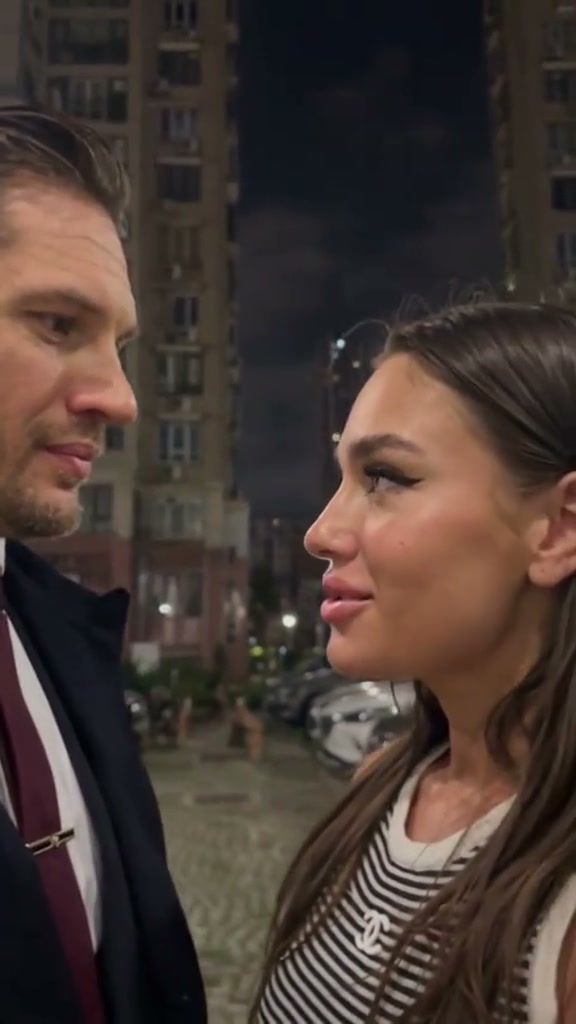
Original 12-second La Nena No Se Compara reggaeton trend reference with atmospheric lighting and mirror selfie choreography.
Transform 1 portrait into an authentic 12-second TikTok reggaeton rhythm video for 6 credits without manual video editing or choreography rehearsals.
- 1Upload 1 front-facing portrait or selfie with visible facial features
- 2AI mirrors the 12-second Plan B rhythm drop, head tilts, and mirror selfies
- 3Outputs a vertical 9:16 MP4 with synchronized reggaeton audio ready for TikTok & Reels
- Runtime
- 12s output
- Credits
- Starts at 6 cr
- Aspect Ratio
- 9:16 vertical
- Audio
- Synced reggaeton beat
Origins of the Plan B Reggaeton Sensation
The "La nena no se compara" trend has taken TikTok and Instagram Reels by storm, resonating across millions of viewers who love its confident energy and irresistible beat. The hook stems from Plan B's classic track "Mi Vecinita", where Chencho Corleone sings the memorable chorus line celebrating a woman whose charisma and style stand completely apart from the crowd.
Creators originally embraced the sound to showcase personal glow-ups, bold fashion transitions, and unbothered self-assurance. What makes the visual format so magnetic is its contrast between moody, low-light close-ups and sudden perspective switches to mirror selfies holding a smartphone.
While early TikTok creators tried filming this manually with ring lights or splicing multiple takes together, keeping smooth camera timing on the beat drop was notoriously difficult. With AI video synthesis, any creator can now step directly into this iconic choreography while maintaining pristine likeness and natural movement. For creators exploring similar viral performance trends, see our breakdown of You Never Let Her Pay AI for restaurant comedy staging.
12-Second Choreography Beat Sheet
The rhythm of this trend relies on precise visual pacing that accentuates the musical peaks. Here is how the 12-second sequence unfolds from frame 0 through the final beat:
The 12-Second Shot Timeline & Choreography
| Timestamp | Phase | What Happens on Screen | Why Your Photo Matters Here |
|---|---|---|---|
| 0.0–3.0 s | The protagonist tilts her head in moody atmospheric lighting, smiling playfully toward the front camera with rhythmic head sways as the reggaeton beat builds. | ||
| 3.0–6.0 s | Close-up rapid-cut framing as the protagonist lip-syncs with attitude on the rhythm drop, gesturing near her temple and playfully sticking out her tongue on the beat hits. | ||
| 6.0–9.0 s | Smooth transition to a mirror selfie angle holding an iPhone, showcasing sleek dark styling, posture, and poise with natural depth. | ||
| 9.0–12.0 s | Cinematic high-angle close-up return as the protagonist delivers a final playful smirk and focused eye contact into the lens before the scene smoothly fades. |
Choosing the Right Photo for Reggaeton Rhythm Sync
To ensure the AI synthesizes your likeness with cinematic fidelity, source photo selection is paramount. The underlying model needs clear landmarks to map eye direction, subtle smiles, and hair contours into the moving video.
Photo Selection: Best Likeness vs. Common Pitfalls
Because this effect runs on a locked motion preset with zero prompt typing, photo selection accounts for most of the final quality.
Upload Photos Like This
- Clear front-facing selfie or upper-body portrait in balanced light
- Natural smile, neutral confidence, or subtle smirk matching the trend mood
- Visible hair, neckline, and facial features without heavy shadows
- Clean background or indoor setting without extreme motion blur
Avoid These Mistakes
- Dark sunglasses or thick accessories obstructing eyes and eyebrows
- Extreme side profile or silhouettes with unrecognizable facial traits
- Busy group photos with multiple overlapping individuals
- Low-resolution webcam screenshots or pixelated crops
Create Your Video in the Dedicated Studio
You can jump straight into the production studio with your chosen photo. Everything is calibrated for the 12-second format with zero complex prompt engineering required:
Make Your La Nena No Se Compara Video in 60s
Star in the viral 12-second Plan B reggaeton trend with 1 photo for just 6 credits.
 12s MP4
Viral AI Video vs. Traditional CapCut Templates
Many creators search for CapCut templates when trying to replicate the "La nena no se compara" sound. However, traditional template editing has inherent physical limitations compared to generative AI video:
Viral AI Video vs. Traditional CapCut Templates
| What Matters | Viral AI Video Preset | Typical CapCut Template |
|---|---|---|
| Facial & Head Animation | Static 2D photo cutout or rigid image slideshow | |
| Camera & Perspective Transitions | Basic zoom-in effect or 2D split-screen collage | |
| Rhythm Synchronization | Manual keyframing and manual audio waveform alignment | |
| Production Effort | Multi-clip cutting, crop adjustments, and template hunting |
Publishing Strategy for TikTok & Reels
Once your 12-second MP4 finishes rendering, deploying it strategically on short-form platforms will maximize algorithmic reach:
- Attach the Official Audio in App: While your downloaded video includes synchronized audio for preview, always link the trending TikTok or Instagram Reels official sound when publishing to benefit from sound-page search indexing.
- Hook-Driven Opening Caption: Use relatable captions such as "La nena no se compara... unbothered energy only" or "When the Plan B beat drop hits just right".
- Format Purity: Generating natively in 9:16 ensures your video occupies 100% of the mobile viewport with zero black bars or awkward borders.