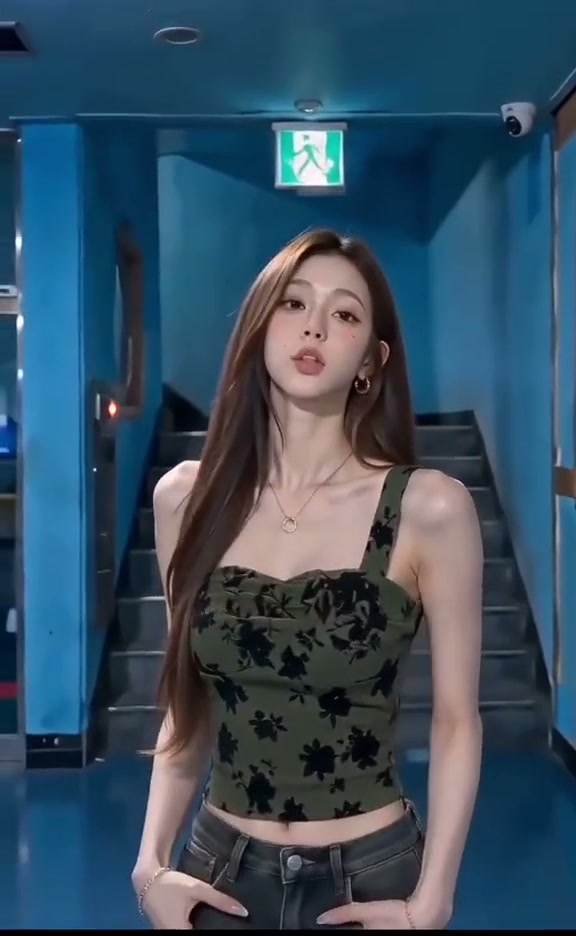
See Drake Solar Eclipse AI in Action — No Prompt Writing Needed
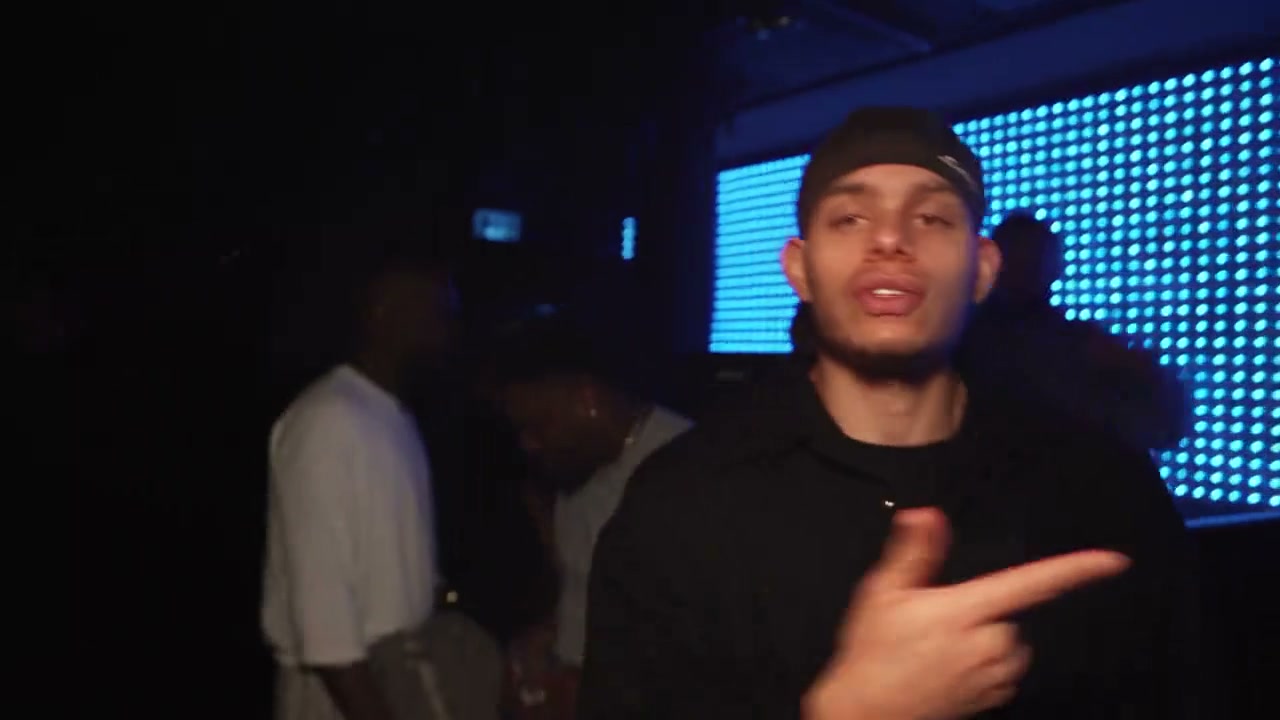
Atmospheric club VIP booth lighting, iconic finger points, and carefree arm shrugs—star as the lead recording artist in an authentic 15-second 16:9 MP4.
Drake Solar Eclipse AI transforms one standard still photo into the viral 15-second TikTok nightclub rap meme. Your likeness leads the VIP booth performance with rhythmic head nods, upward ceiling points, and confident arm shrugs from 8 credits at Standard 480p.
- 1Authentic 16:9 widescreen composition: preserves full VIP booth perspective and glowing icy-blue LED backdrop without cramped vertical edges.
- 2Single-photo performance anchor: upload 1 clear portrait to steer all 15 seconds of performance effortlessly.
- 3Natural depth & torso motion: fluidly articulates torso sways, head tilts, and expressive hand gestures synced to the viral verse.
- 4Atmospheric nightclub ambiance: moody background shadows and blue dot-matrix illumination blend casual portraits into authentic club footage.
- 5Upfront credit model: starts at 8 credits (480p); purchased credit packs never expire.
- Duration
- 15 Seconds
- Entry Rate
- 8 Credits (480p)
- Upload Count
- 1 Lead Photo
- Default Frame
- 16:9 Widescreen
Why 16:9 Framing Powers the Nightclub VIP Booth
The viral charm of the Drake Solar Eclipse trend comes from its relaxed, high-roller nightclub VIP atmosphere. When captured in tight vertical framing, the cold blue LED wall, club booth silhouettes, and wide outward arm shrugs often get cut off at the margins. By preserving the native 16:9 widescreen aspect ratio, your generated video mirrors the cinematic handheld documentary feel of Drake's original viral club preview.
Looking for more widescreen music video and studio trends? Discover the energetic studio Cypher in Hibidi Skibidi AI or explore the colorful minimalist dancing in Hotline Bling AI.
15-Second VIP Lounge Beat Sheet
| Timestamp | Phase | What Happens on Screen | Why Your Photo Matters Here |
|---|---|---|---|
| 0.0s – 3.5s | VIP Lounge Intro & Bassline Groove | Lead recording artist establishes the rhythm in the dimly lit VIP booth, nodding to the heavy bass groove facing the handheld camera while lip-syncing opening bars. | Front-facing portraits with neutral head positions ensure smooth tracking as the camera pulls close. |
| 3.5s – 6.0s | Ceiling Point & Lyric Flex | Performer tilts head upward toward the right and points right index finger decisively toward the ceiling lights with unbothered swagger. | Visible necklines and unobstructed jawlines allow natural upward head rotations without digital distortion. |
| 6.0s – 9.0s | Open-Palm Gestures & Melodic Sway | Hands drop smoothly into relaxed open-palm gestures outward as the melodic southern R&B cadence continues across the verse. | Portraits showing natural shoulder width provide clear boundaries for fluid hand and arm articulation. |
| 9.0s – 12.0s | Rhythmic Arm Retraction | The performer draws the right arm and elbow backward on beat, accentuating the punchline delivery with focused camera eye contact. | Even indoor lighting prevents shadow clipping during rapid elbow and arm pullbacks. |
| 12.0s – 15.0s | Carefree Shrug & Final Smile | Both hands extend outward in a nonchalant shrug paired with an effortless smirk as the 15-second loop resolves seamlessly. | Subtle, relaxed smiles in your input photo translate into charismatic final payoff shots. |
Choosing One Portrait for Nightclub LED Lighting
To get the most lifelike result in the Drake Solar Eclipse VIP booth setting, use a photo with even exposure and clear facial features. While the generated video features moody club shadows and icy-blue LED accents, your uploaded source photo should not be taken in pitch darkness.
Photo Selection Guide: Nightclub VIP Setting
Because this effect runs on a locked motion preset with zero prompt typing, photo selection accounts for most of the final quality.
Upload Photos Like This
- Well-lit front-facing portrait or selfie in daylight or soft indoor light.
- Neutral or pleasant facial expression with eyes looking directly at the camera.
- Clear visibility of hair, shoulders, and collar area for natural torso movement.
- Sharp image resolution without heavy digital compression or motion blur.
Avoid These Mistakes
- Pitch-black club photos or extreme neon-washed faces that hide facial details.
- Sunglasses, hats pulled low over eyes, or hands covering the mouth.
- Group photos with multiple faces competing for the single performer slot.
- Extreme side-profile angles or heavily tilted selfies.
Ready to Star in the Drake Solar Eclipse VIP Booth?
Skip the complex video editors and manual keyframing. Upload your portrait photo, pick your preferred quality tier, and let the AI generate your 15-second VIP booth rap video in 60 to 120 seconds.
Star in the Viral Drake Solar Eclipse Meme
Upload your portrait now. The AI handles the VIP booth motion, cold blue LED backdrop, and audio sync automatically.
 15s MP4
Generative AI Video vs. CapCut Cutout Templates
Many creators first attempt this viral trend using CapCut photo cutouts or green-screen overlays. Here is how generative neural video synthesis differs from basic template editing:
Generative AI Video vs. CapCut Cutout Templates
| What Matters | Viral AI Video Preset | Typical CapCut Template |
|---|---|---|
| Facial Motion & Lip Cadence | Static 2D image cutout pinned onto video background with zero lip movement | |
| Arm & Finger Choreography | Cannot animate arms; your uploaded photo stays rigid while stock hands move | |
| Environmental Lighting Integration | Harsh edges around cutouts with mismatched artificial lighting | |
| Audio Synchronization | Requires searching for external audio tracks and manual timeline trimming |
Creator Playbook & Audio Cadence
Once your 15-second video finishes rendering, follow these quick tips for maximum reach on social media:
- Use the In-App Audio for Algorithmic Reach: When publishing on TikTok or Instagram Reels, mute the video track volume slightly and link the official trending sound Solar Eclipse (Choosin' Texas Remix) from the platform's music library to catch trending audio feeds.
- Keep the Captions Short and Relatable: Pair the video with short captions like “Me checking my balance after the weekend” or “Cause I don't even check” to prompt comments and shares.
- Download in High Definition: Standard 720p or Ultra 1080p delivers crisp details on retina mobile displays, ensuring the cold blue LED wall pop on dark-mode feeds.