
BIG HANDS AI TREND VIDEO GENERATOR: GIANT HANDS RUNWAY MEME
Star in the viral giant hands forced-perspective fashion transition trend. Upload one photo to generate an authentic 12-second runway clip with dynamic outfit transformations ready for TikTok and Reels. Pay-as-you-go video generation starts at just 6 credits with zero monthly subscription.
CREATE YOUR BIG HANDS AI VIDEO
Upload your photo

Tip: Upload 1 clear selfie. The AI casts your face into the 3 viral runway looks (Motorsport Set → Cyberpunk Leather → Oversized Jersey) with POV giant hands pinching transitions!
Video Options
By generating you confirm compliance with our Terms · Privacy · Acceptable Use
12-second video · 6 credits per generation · One-time packs, no subscription
WATCH EXAMPLES FREE · REVIEW THE COST · FAILED-TASK CREDIT RETURN
WHAT IS THE BIG HANDS AI TREND?
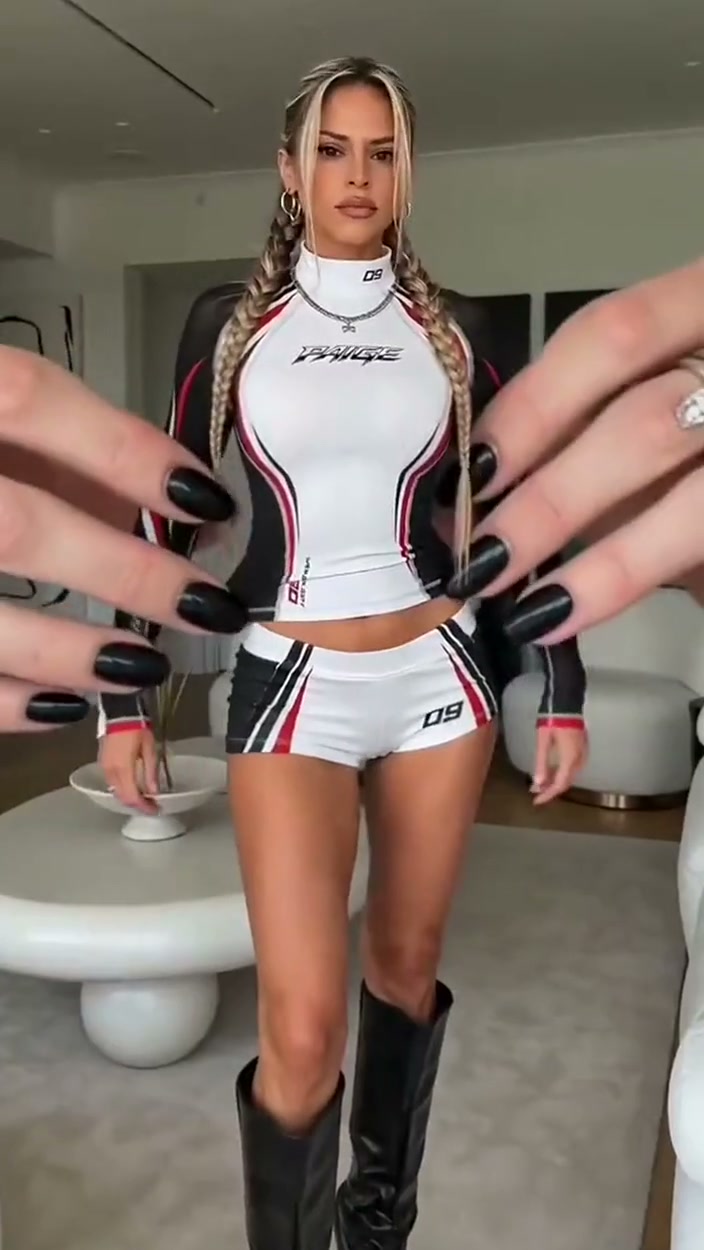
Big Hands AI is a viral fashion transition video generator replicating the TikTok forced-perspective giant hands optical illusion. Star as the solo runway model from a single portrait photo while foreground giant hands pinch and adjust your waist across three rapid streetwear and motorsport outfit transformations throughout a 12-second video without manual keyframing.
Known across TikTok and Instagram Reels as the giant hands forced-perspective fashion reveal, this viral sensation pairs optical illusion giant hands pinching and styling a downstage model with three rapid, high-energy streetwear and motorsport outfit snaps.
One-Click Runway Transformation
Upload 1 portrait photo. Our engine casts you directly as the solo runway model, guided by the viral forced-perspective giant hands interaction and choreography reference, without requiring green screens, CapCut keyframe masking, or prompt engineering.
Compare viral clips trending across TikTok giant hands search results.
Content reviewed by Viral AI Video · . Independent AI creative tool, not affiliated with TikTok, Instagram, YouTube, or CapCut.
Comedy & Pranks Templates
Explore More Viral AI Video Templates
Jump into related trending formats in this category or browse the full directory.
How to Create Your Big Hands AI Video in 3 Steps
Start with one portrait. The scene direction is already set; you choose the setting and output options. No reference upload, video breakdown, or prompt writing is required.
Upload Your Portrait Photo
Add one clear front-facing portrait with visible facial features in even light. Upload from this device or scan the QR code to send from your phone.
Original Scene & Review Cost
Pick your video model, resolution (480p, 720p, or 1080p), and format. Review transparent credits before starting your render.
Render & Download MP4
Watch the generation progress bar. Preview the video, listen to synced audio, and download the MP4 directly to your device.
Creative Angles for Your Viral Video
Whether posting to TikTok, Instagram Reels, or Shorts, these three creator angles maximize watch time and visual engagement.
The Forced-Perspective Illusion
Giant POV hands entering from the foreground edges to pinch and style your waist creates an irresistible miniature doll optical illusion.
The 3-Tier Outfit Reveal
Snapping across three distinct streetwear and sportswear looks at peak musical beats keeps viewers replaying the clip to inspect details.
The Motorsport Finale Pose
Concluding with an oversized motorsport jersey and an effortless downstage runway pose delivers a confident, aesthetic viral sign-off.
Why Create Your Runway Video Here
Upload your photo, check the transparent credit total, and create your version of the viral TikTok giant hands forced-perspective trend. The choreography is locked for you; review the generated MP4 before sharing.
Failed-Task Credit Return
A failed task returns its reserved credits. A return can temporarily show as pending; check the task status.
One-Click Direct Preset
No reference upload or breakdown step. The preset supplies the giant hands interaction, forced-perspective styling, and rapid outfit transitions.
Flexible Resolution & Format
Render in 480p, 720p, or 1080p across 9:16, 1:1, or 16:9 formats. Credit totals adapt dynamically to your chosen settings.
MP4 Download & Phone Handoff
Save the task MP4 on desktop or scan its phone download QR code. Both deliver the same generated file.
Non-Expiring Sitewide Credits
Purchased pack credits work across effects and do not expire. Check the render total; subscription credit rules differ.
Transparent Privacy & Expiry
Save before the account download expiry. The Privacy Policy explains uploaded photos, provider processing, and retention.
Inside the 12-Second Giant Hands Runway Storyboard
This is the choreography requested by the preset, mirroring the viral TikTok clip. Watch the full result to check the waist pinch, runway strides, outfit transitions, and motorsport finale pose.
Waist Pinch & Opening Strides
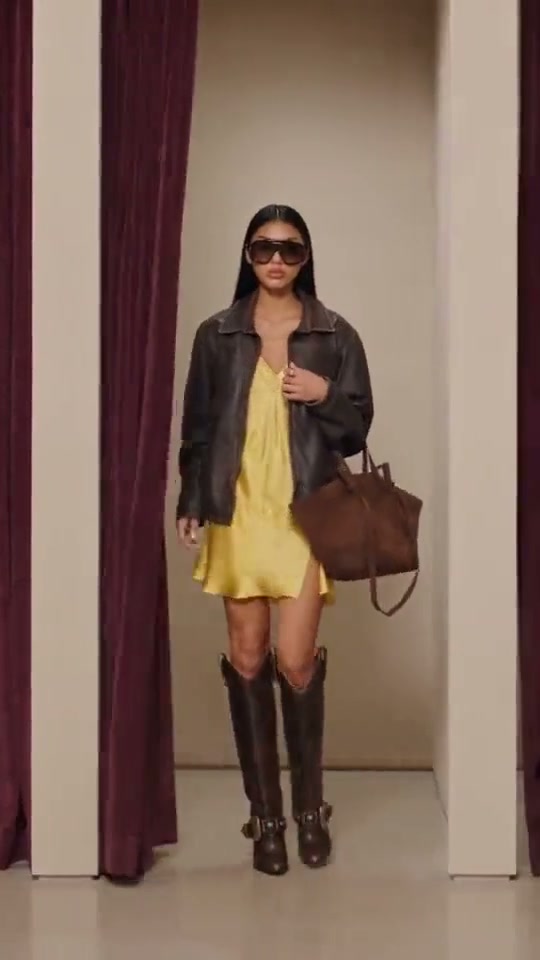
Giant manicured hands pinch the model waist in Outfit 1 as she stands poised downstage before taking two confident runway strides forward.
Direct Camera Gaze & Re-entry
The model pauses downstage center gazing directly into the camera while giant foreground hands reach in from both sides toward her torso.
Chic Streetwear Transition
Transition snap at 5.1s into Outfit 2 with futuristic silver wrap sunglasses and metallic handbag as giant hands release her waist.
Runway Struts & Second Adjustment
The model struts forward adjusting her sunglasses while giant foreground hands re-enter to prepare for the final transition.
Motorsport Jersey Finale Pose
Transition snap at 9.7s into Outfit 3 with oversized motorsport jersey as giant hands pull away and she strikes a confident finale runway pose.
Photo Guidelines & Quality Tips
Get the sharpest facial likeness and cleanest fashion runway choreography results by following these straightforward photo suggestions.
Give Your Portrait the Best Edge
- Use Even Light and Visible Facial FeaturesCapture your portrait in daylight or balanced indoor light. No sunglasses or props needed; the AI synthesizes the runway wardrobe.
- Frame Head & Upper Torso ClearlyKeep full head, hairstyle, and shoulders clearly visible without tight cropping.
- Avoid Obscured Faces & Heavy FiltersAvoid dark facial shadows, heavy motion blur, or face-obscuring stickers.
- Single Person in the Source PhotoUpload a single-person portrait for the sharpest facial likeness across runway strides.
Check the Cost and the Finished Motion
- iReview the Displayed Credit TotalModel and resolution selections update credit costs in real time before generation.
- iWatch Hands, Props & Scene CutsReview giant hands waist pinches, runway strides, and outfit transition snaps before sharing.
- iKnow What a Failed Task MeansIf a cloud generation fails, reserved credits return to your account balance automatically.
- iPrepare First, Generate When ReadyPreview examples for free. Ensure your credit balance covers the selected resolution.
How Does This Giant Hands Trend Engine Work?
Your portrait photo supplies facial likeness, hairstyle, skin tone, and styling. The preset guides the forced-perspective miniature doll illusion, waist pinches, and three rapid streetwear and motorsport outfit shifts across the 12-second clip.
Upload one portrait photo, check the transparent credit total (starts at 6 credits in 480p), and generate. When complete, download the HD MP4 to desktop or phone via QR code.
Check credit options, refund rules, and privacy retention before generating.
Frequently Asked Questions
QHow do I create a Big Hands AI outfit transition video?
QIs the Big Hands AI tool free to try, or do I need a paid subscription?
QHow many credits does one 12-second Big Hands video cost, and what is the refund policy?
QWhat photo works best to star in the Big Hands fashion transitions?
QDoes the AI change all three outfits automatically while keeping my face recognizable?
QHow does the forced-perspective giant hands optical illusion work?
QCan I create the video on my phone without downloading CapCut?
QIs the viral background music automatically synced with the outfit changes?
QHow long does it take to generate the 12-second AI runway video?
Star in the Viral Giant Hands Trend Tonight
Upload your portrait photo, review the transparent credit cost (6 credits at 480p), and generate your viral runway AI video. Watch the fashion transformation, download the 12s MP4, and share directly to TikTok & Reels.
MP4 download · Phone QR option · Sitewide credits