
ELEVATOR OUTFIT CHANGE AI VIDEO GENERATOR: VIRAL FASHION TRANSITION
Create the viral elevator door outfit change trend from a single portrait photo. Upload one photo to generate an authentic 14-second 9:16 vertical fashion video where closing elevator doors reveal a stunning street-glam glow-up. Starts at just 7 credits with zero monthly subscription and 100% refund protection.
CREATE YOUR ELEVATOR FASHION VIDEO
Upload your photo
Tip: Use a clear front-facing upper-body or full-body photo with visible face and outfit styling in even light.
Video Options
By generating you confirm compliance with our Terms · Privacy · Acceptable Use
14-second video · 7 credits per generation · One-time packs, no subscription
WATCH EXAMPLES FREE · REVIEW THE COST · FAILED-TASK CREDIT RETURN
WHAT IS THE ELEVATOR OUTFIT CHANGE AI TREND?
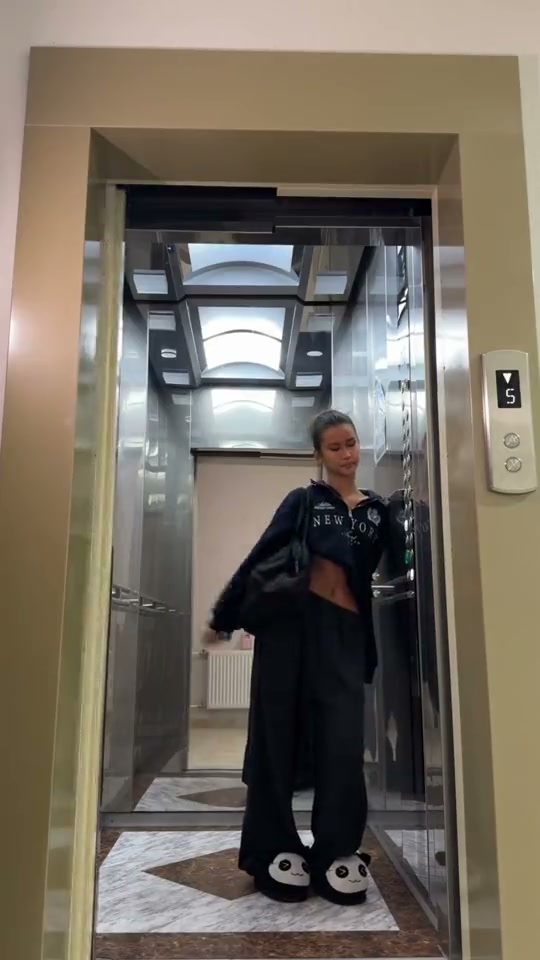
Elevator Outfit Change AI is a 14-second vertical fashion transition generator that casts one uploaded portrait inside a modern stainless steel elevator cabin. As the elevator doors close and reopen, the AI transforms the performer from casual lounge attire into chic street-glam fashion in one seamless 14-second video starting at 7 credits.
Originating across TikTok and Instagram Reels as the TikTok elevator outfit change trend, creators step into an elevator in relaxed lounge wear, let the doors close, and reappear in elevated street-glam styling when the doors slide back open.
One-Click Viral Fashion Transformation
Upload 1 portrait photo. Our engine casts you centered inside the elevator cabin, guided by the viral elevator door transition and camera motion reference, without requiring multi-take filming, wardrobe changes, or prompt writing.
Compare viral clips trending across TikTok Elevator Outfit Change AI search results.
Independent AI creative tool, not affiliated with TikTok, Instagram, YouTube, or CapCut.
Comedy & Pranks Templates
Explore More Viral AI Video Templates
Jump into related trending formats in this category or browse the full directory.
How to Create Your Elevator Outfit Change AI Video in 3 Steps
Start with one portrait. The scene direction is already set; you choose the setting and output options. No reference upload, video breakdown, or prompt writing is required.
Upload Your Portrait Photo
Add one clear front-facing upper-body or full-body photo with visible facial features, hairstyle, and outfit styling in even light. Use a photo from this device or scan the QR code to send one from your phone. No elevator, wardrobe changes, or props in the photo needed.
Original Scene & Review Cost
The preset uses the authentic luxury dining room and kitchen scullery setting. Pick the model, an available resolution (480p, 720p, or 1080p), and format. Review credits, sign in, and confirm permission before starting a render.
Render & Download MP4
Follow the task status while the model generates. Preview the full video, listen to its audio, and download the MP4 to your computer or phone before account expiry. Add permitted music in TikTok, Reels, or Shorts when you publish.
Creative Angles for Your Viral Video
Whether posting to TikTok, Instagram Reels, or Shorts, these three creator angles maximize watch time and comedic engagement.
The Closed-Door Jump Cut
Symmetrical elevator doors close smoothly, providing a natural cinematic partition that transforms casual lounge attire into chic street-glam styling.
The Elevator Fit Check Hook
Starting relaxed inside a modern elevator cabin captures instant creator fit-check curiosity before the dramatic fashion reveal.
The Runway Strut & Pose
After the doors slide open, stepping forward toward the camera threshold and striking confident poses creates high-retention TikTok fashion energy.
Why Create Your Elevator Fashion Video Here
Upload your photo, check the transparent credit total (starts at 7 credits), and create your version of the viral TikTok elevator fit check transition. The choreography is locked on the server; review the generated MP4 before sharing.
Failed-Task Credit Return
A failed task returns its reserved credits. A return can temporarily show as pending; check the task status.
One-Click Direct Preset
No manual prompt writing or video breakdown. The preset supplies the elevator door transition, lighting shifts, and runway choreography.
Flexible Resolution & Format
Render in 480p, 720p, or 1080p across 9:16, 1:1, or 16:9 formats. Credit totals adapt dynamically to your chosen settings.
MP4 Download & Phone Handoff
Save the task MP4 on desktop or scan its phone download QR code. Both deliver the same generated file.
Non-Expiring Sitewide Credits
Purchased pack credits work across effects and do not expire. Check the render total; subscription credit rules differ.
Transparent Privacy & Expiry
Save before the account download expiry. The Privacy Policy explains uploaded photos, provider processing, and retention.
Inside the 14-Second Elevator Fit Check Storyboard
This is the choreography requested by the preset, mirroring the viral TikTok clip. Watch the full result to check the door cycle transition, street-glam styling reveal, hair flips, and runway walk.
Elevator Cabin Lounge Setup
The performer stands centered inside the modern stainless steel elevator cabin in relaxed casual lounge attire with hair tied back, looking down before meeting the camera gaze.
Symmetrical Door Transition
Symmetrical sliding elevator doors close completely, blocking the cabin interior, and smoothly slide open to reveal the complete fashion transformation.
Street-Glam Look Reveal
Performer appears in chic street-glam styling with flowing hair, posing with hands resting lightly on the elevator handrails and pivoting into a side-profile stance to showcase the outfit silhouette.
Forward Runway Strut & Finale Pose
Performer turns back to front view, struts toward the elevator threshold, places one hand on her hip, and strikes a confident pose as the clip concludes.
Photo Guidelines & Quality Tips
Get the sharpest facial likeness and cleanest elevator outfit transition choreography results by following these straightforward photo suggestions.
Give Your Portrait the Best Edge
- Use Even Light and Visible Facial FeaturesCapture your portrait in daylight or balanced indoor light. You don't need designer outfits, multiple clothes, or an elevator; the AI renders the modern elevator cabin and fashion transitions.
- Frame Head & Upper Torso ClearlyKeep your full head, hairstyle, shoulders, and outfit styling visible. Avoid tight crops cutting off the top of your head or heavy blur filters.
- Avoid Obscured Faces & Heavy FiltersAvoid dark shadows covering the eyes, motion blur, sunglasses, or heavy face-obscuring stickers.
- Single Person in the Source PhotoThis preset casts one solo performer centered inside the elevator cabin. Upload a single-person portrait for the sharpest result.
Check the Cost and the Finished Motion
- iReview the Displayed Credit TotalModel and resolution selections update the credit total in real-time. Review before confirming; each generation uses credits.
- iWatch Door Cycle, Transitions & PosturesReview the door closing and opening sequence, street-glam styling reveal, hair flips, and confident poses in the full preview before sharing.
- iKnow What a Failed Task MeansIf a generation task fails, the system automatically returns the reserved task credits back to your balance.
- iPrepare First, Generate When ReadyExperiment with settings and preview examples for free. When ready, sign in and check that your balance covers the selected render. A small pack may not cover every model and resolution combination.
How Does This Elevator Transition Engine Work?
Your portrait photo supplies facial likeness, hairstyle, skin tone, and personal styling. The scene preset describes the modern stainless steel elevator cabin, sliding door transitions, and street-glam styling. Our generation service combines that direction with the built-in viral motion reference and sends the 14-second task to the video model you select. The model synthesizes authentic cinematic motion from the reference choreography.
For you, this means there is zero friction: no reference-video upload or manual video editing. Upload one portrait photo, check the transparent credit total (starts at 7 credits for default Standard 480p; higher tiers vary), and generate. When the task completes, desktop and phone downloads use its saved MP4. When publishing to TikTok, Instagram Reels, or YouTube Shorts, attach an audio track from the platform's approved music library that is authorized for your account and intended use.
Check current credit options, failed-task and payment refund rules, and photo processing and retention before generating.
Frequently Asked Questions
QHow do I create an Elevator Outfit Change AI video from a single photo?
QIs the Elevator Outfit Change AI video generator free to use?
QHow many credits does one 14-second generation cost, and what happens if it fails?
QWhat photo works best to ensure accurate facial likeness and realistic fashion styling?
QDo I need to film multiple takes or physically change clothes to do this trend?
QHow does the AI handle the elevator door closing and opening transition?
QDoes the generated video include the trending soundtrack and synchronized audio?
QCan I export and post the video directly to TikTok, Instagram Reels, and YouTube Shorts?
QWhy should I use this AI tool instead of editing a manual CapCut template?
QDoes the video preserve my authentic facial features while updating hairstyle and attire?
Star in the Viral Elevator Outfit Change Tonight
Upload your portrait photo, review the transparent credit cost (7 credits at 480p), and generate your viral Elevator Outfit Change AI video. Watch the fashion transition, download the 14s MP4, and share directly to TikTok & Reels.
MP4 download · Phone QR option · Sitewide credits