See She Love the Way I Talk Dance AI in Action — No Prompt Writing Needed
Generated directly from two everyday portrait photos—no dance rehearsals, no studio filming, and zero manual prompt writing.
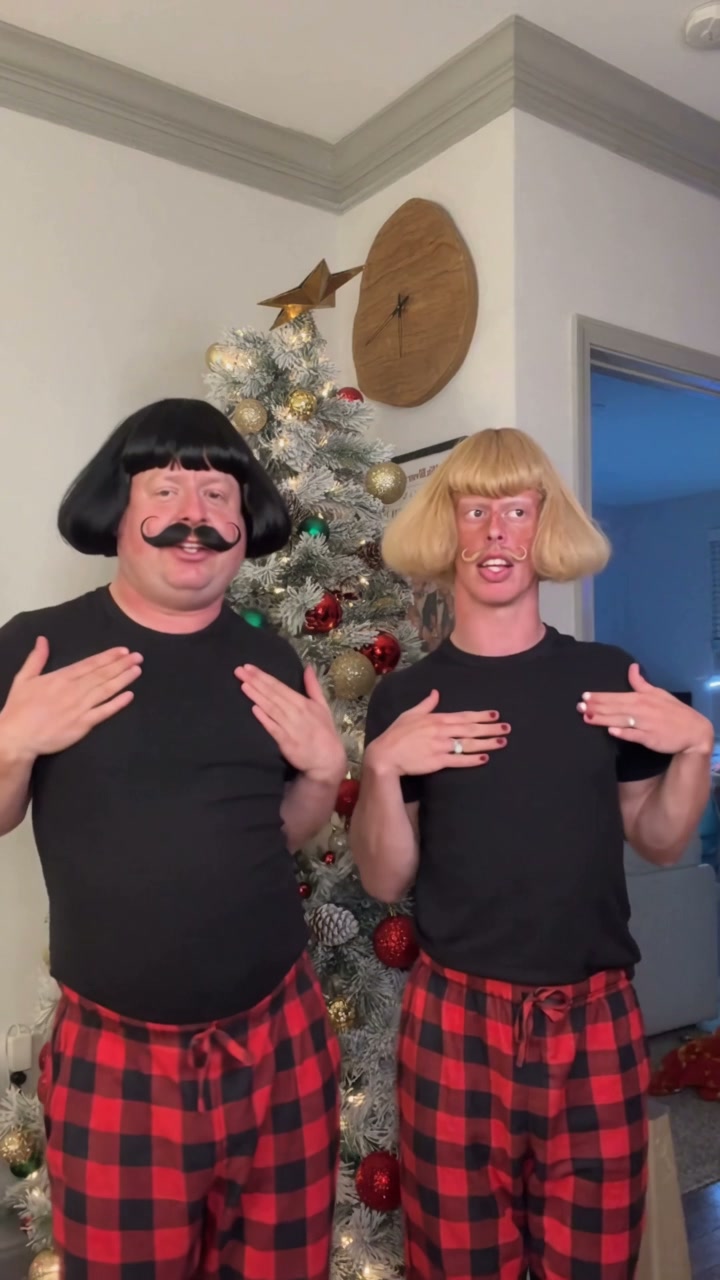
She Love the Way I Talk Dance AI animates your photos into the viral TikTok hip-hop duo routine set to GBG Reggie. Uploading one or two portraits to Viral AI Video generates an 11-second MP4 starting at 6 credits (Standard 480p) with synchronized trending beats and zero manual keyframing.
- 1Input needed: 1 or 2 clear front-facing adult portraits with even lighting (solo or duo casting options).
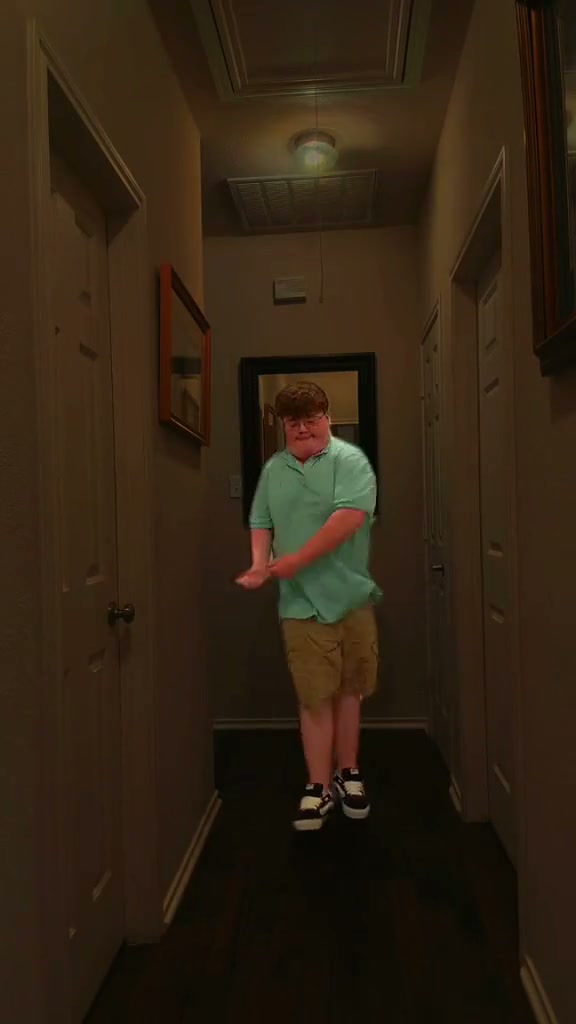
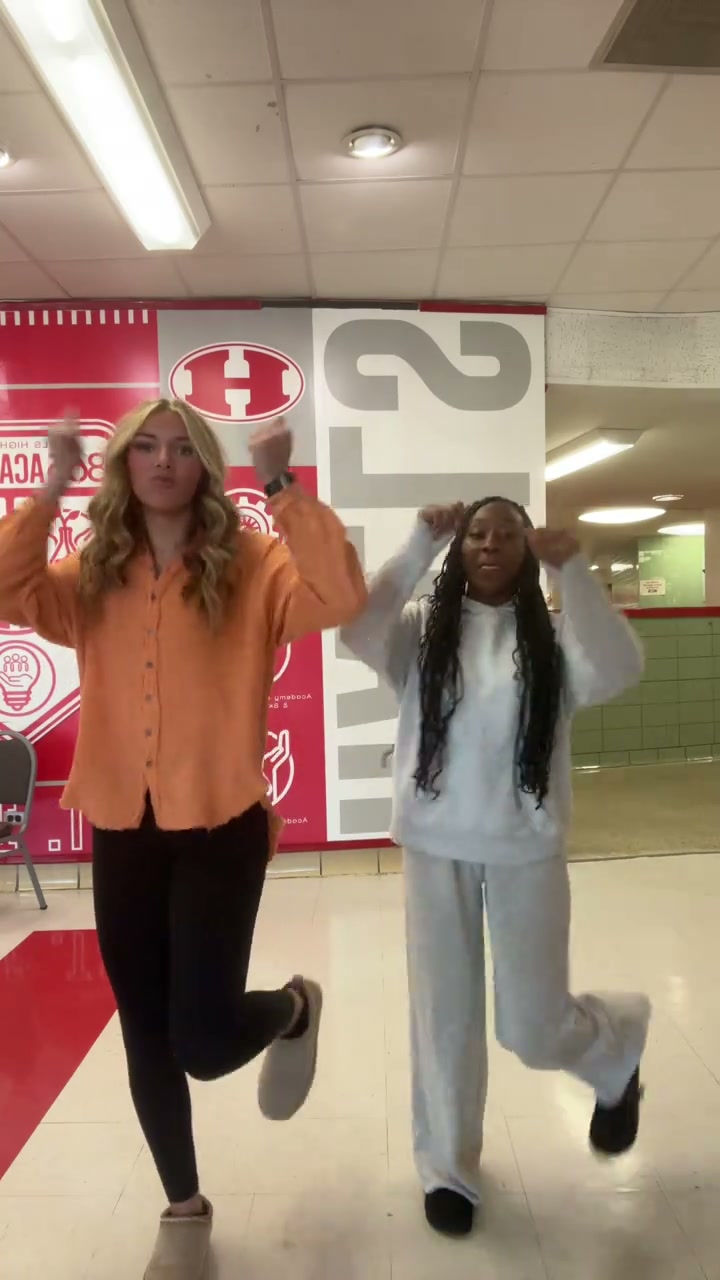
- 2Instant visual hook: opens with an energetic one-legged bounce hop before transitioning into downward wrist dips and chest pops.
- 3Matched timeline: 0.0–3.0s opening bounce and hop, 3.0–7.0s low-stance hip groove and chest pops, 7.0–11.0s side-step wave and camera rush finale.
- 4Formats & options: native 9:16 vertical for TikTok and Reels, plus 1:1 square and 16:9 widescreen formats across multiple model tiers.
- 5Transparent pricing: flat 6 credits (11s, Standard 480p) with 100% automated credit refund on any generation failure.
- Clip Length
- 11 Seconds
- Entry Cost
- 6 Credits (480p)
- Aspect Ratios
- 9:16 · 1:1 · 16:9
- Photo Input
- 1 or 2 Portraits
Why the Duo Dance Format Works
Short-form dance trends command high engagement on TikTok and Instagram Reels when they combine playful interpersonal chemistry with catchy rhythmic movements. The "She Love the Way I Talk" trend, set to GBG Reggie's viral sound, took off because it pairs effortless street-style bouncing with an unexpected, dynamic finale.
Three structural elements inside this video preset make it convert exceptionally well on social feeds:
- Immediate energy payoff: Rather than building up slowly, the routine kicks off at the 1.0s mark with an energetic synchronized one-legged hop and double pump-style fist raises.
- Relatable duo dynamic: The routine gives both performers equal spotlight during the low-stance dips and chest rolls, making it ideal for best friends, couples, or coworkers.
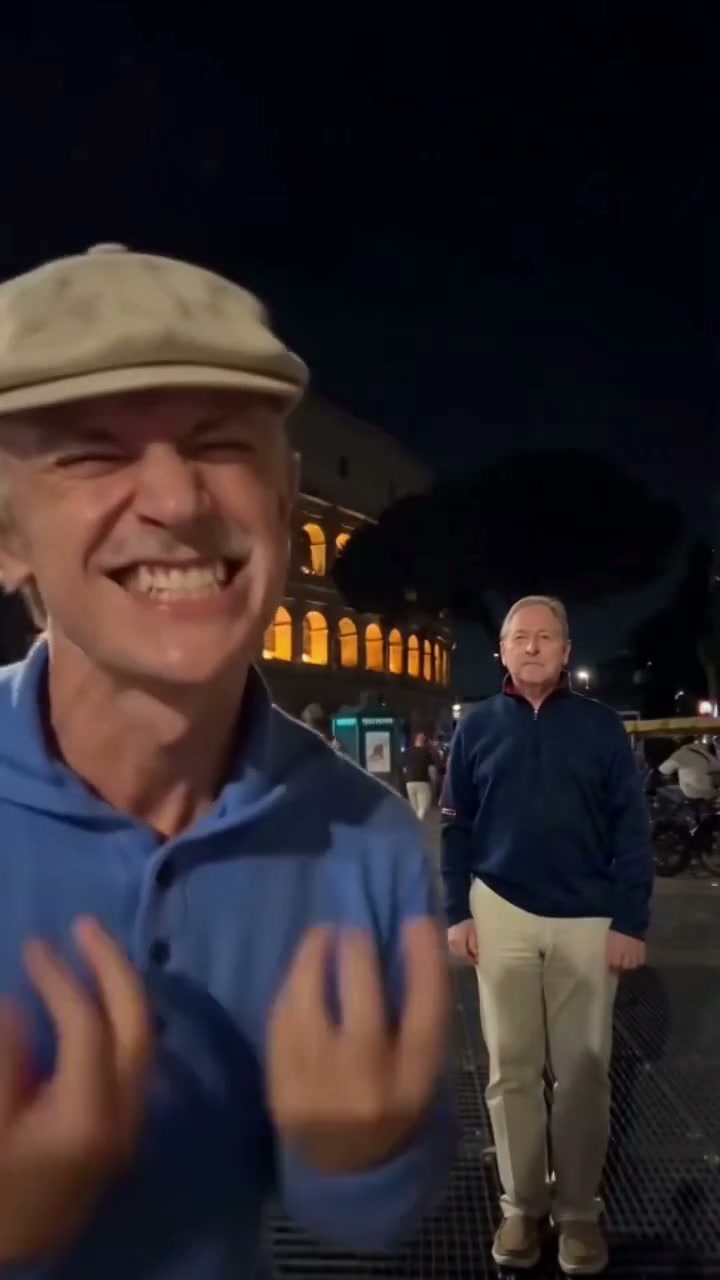
- High-impact camera rush ending: At 10.6s, the left dancer sprints directly toward the lens for a spontaneous tongue-out selfie close-up, providing an irresistible retention punchline.
11-Second Shot-by-Shot Beat Breakdown
| Timestamp | Phase | What Happens on Screen | Why Your Photo Matters Here |
|---|---|---|---|
| 0.0s – 3.0s | Opening Hop | Both performers begin with a stationary bounce in a brightly lit indoor corridor before leaping into a synchronized one-legged hop at 1.0s with pump fists raised near ear height. | Clear facial visibility and distinct hairstyles in your uploaded photos establish individual performer likeness from frame 0. |
| 3.0s – 7.0s | Low-Stance Groove | The duo transitions into low-stance hip grooves with rhythmic downward wrist flicks and lateral steps, followed by upright chest pops and shoulder rolls synced to lyrics. | Uploading portraits with visible upper chest and shoulders ensures clean wardrobe and silhouette transfer through fast upper-body rolls. |
| 7.0s – 11.0s | Camera Rush Finale | Synchronized side-step waves and rhythmic foot switches lead into a dramatic forward sprint by the left dancer, ending in an energetic selfie close-up into the camera lens. | Assign your most expressive or outgoing friend to Photo 1 so they take the final camera rush spotlight. |
How to Pick the Best Portrait Photos (Zero-Prompt Workflow)
Because the studio handles the full choreography, motion references, and camera trajectory on the server, you never write a prompt. Choosing clean, high-quality input portraits is the single factor you control that visibly elevates facial likeness, hair continuity, and realistic motion:
High-Accuracy Portrait Photos vs. Common Mistakes
Because this effect runs on a locked motion preset with zero prompt typing, photo selection accounts for most of the final quality.
Upload Photos Like This
- Clear, front-facing or slight three-quarter portrait where both eyes, facial structure, and hair are plainly visible.
- Even, natural daylight or bright indoor illumination with minimal hard facial shadows.
- Two distinct single-person photos so each performer has dedicated identity tracking.
- Visible head, neck, and upper outfit so personal styling carries through the video.
- Natural, open expression facing the camera lens without extreme grimacing.
Avoid These Mistakes
- Dark, heavily backlit selfies where facial contours dissolve into room shadows.
- Sunglasses, hats, masks, or heavy beauty filters that obscure facial landmarks.
- Group photos with multiple faces crammed into one portrait crop.
- Extreme close-ups that chop off the forehead, ears, or chin.
- Static posed dance stances or hand gestures that fight against the routine choreography.
Ready to Star in the Viral Hip-Hop Duo Dance?
Choose Solo Left, Solo Right, or Duo Besties to enter the studio pre-loaded—view your transparent credit quote (flat 6 credits at 480p) and generate in seconds.
 1 or 2 Portraits
 11s MP4
Preset Video vs. CapCut Templates: Which Should You Use?
Creators searching for "she love the way i talk capcut template" typically want an effortless way to join the trend without filming multiple takes. Here is how our generative AI preset compares against traditional template solutions:
She Love the Way I Talk Dance AI vs. CapCut Templates
| What Matters | Viral AI Video Preset | Typical CapCut Template |
|---|---|---|
| How your likeness appears | Synthesizes an authentic 11-second continuous dance performance driven by your portrait identity and motion tracking. | Pastes static photo cutouts, slide animations, or sticker overlays onto third-party pre-recorded footage. |
| Choreography & camera dynamics | Renders the synchronized one-leg hop, downward wrist dips, chest pops, and dramatic selfie camera rush automatically. | Limited to static photo panels or pre-set cuts with zero dynamic body movement synthesis. |
| Granular casting options | Interactive 3-way casting allows starring solo on the left, solo on the right, or dancing together as a duo with two photos. | Fixed template slots with no ability to replace only one dancer while keeping the other intact. |
| Feed format flexibility | Native 9:16 vertical MP4 format for TikTok and Reels, with 1:1 square and 16:9 widescreen options across multiple model tiers. | Tied to the creator template orientation, with high-definition exports often restricted behind paywalls. |
| Credit model vs. subscription | Flat 6 credits per 11s Standard 480p clip with zero monthly subscription lock-in and 100% automated refund on failed tasks. | Basic templates include watermarks; full feature access requires recurring subscription packages. |
Audio, Previewing & Posting Tips
Before downloading and publishing your completed dance clip to TikTok, Instagram Reels, or YouTube Shorts, keep these essential creator guidelines in mind:
- Preview the entire choreography sequence: Always review the full 11-second preview from the opening one-legged bounce to the high-energy camera rush to confirm facial expression and clothing stability before exporting.
- Synchronized trending audio ready to post: Generated videos include the trending audio track pre-synchronized to each choreography beat, so your export is ready to share immediately to your feed.
- Disclosure and related viral trends: Enable the AI-generated content flag on TikTok or Instagram Reels when posting to maintain compliance with short-form platform policies. Want to explore more viral dance hits? Check out our Deck The Halls Dance guide or explore the Cat Riding Dirt Bike guide for viral pet comedy.