See Christmas Cat Band AI in Action — No Prompt Writing Needed
Generated directly from 1 clear cat portrait—no instruments, no green screen, and zero prompt writing needed.
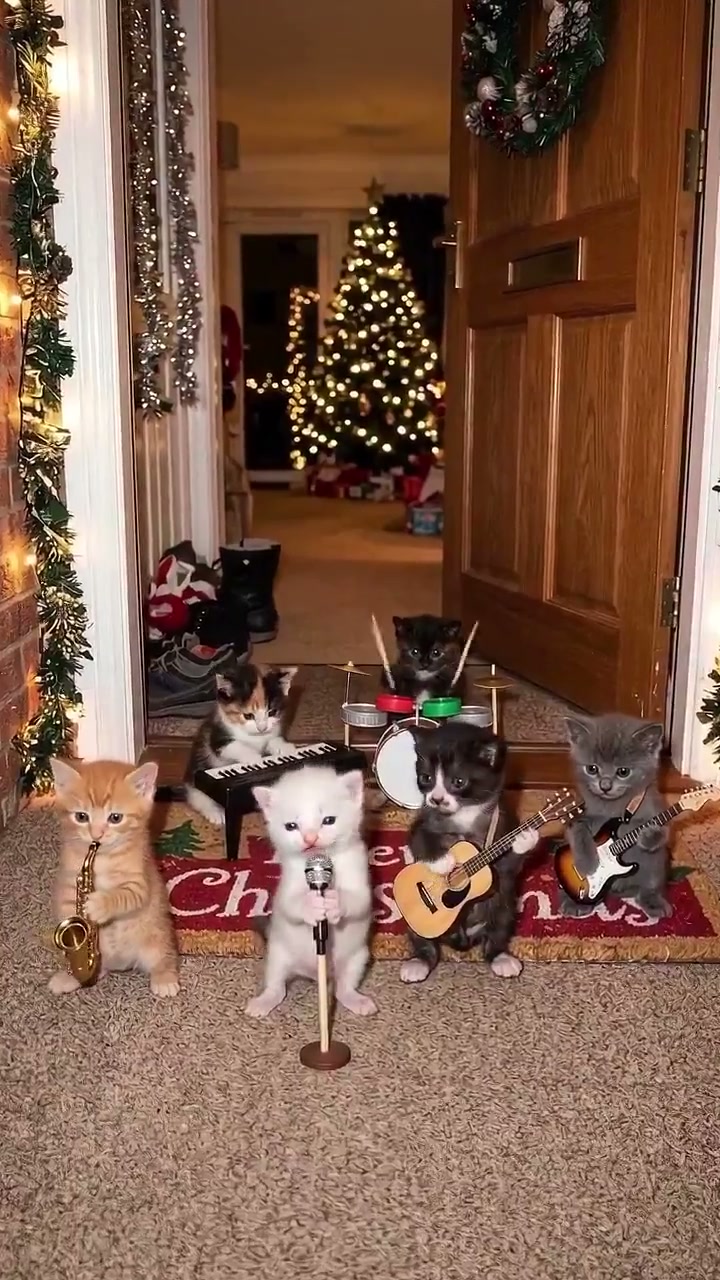
Christmas Cat Band AI casts your cat or pet as the lead singing performer at a vintage microphone, flanked by adorable miniature kittens playing saxophone, guitars, drums, and keyboard in front of a warm Christmas tree. One clear photo renders an 15-second MP4 starting at 8 credits with zero prompts.
- 1Input needed: 1 front-facing photo of your cat, kitten, or domestic pet in clear, even lighting.
- 2Instant holiday charm: your pet opens right away singing at the microphone backed by the miniature kitten band.
- 3Matched timeline: 0.0–3.0s carol intro, 3.0–6.5s passionate singing chorus, 6.5–10.0s head sways, 10.0–15.0s grand finale.
- 4Two selectable scenes: 15-second Doorway Band (8 credits) or 10-second Velvet Holiday Stage (5 credits).
- 5Transparent micro-pricing: starts at 8 credits (15s Standard 480p); failed tasks automatically return reserved credits.
- Clip Length
- 15s or 10s Scenes
- Entry Cost
- 8 Credits (480p)
- Aspect Ratio
- 9:16 Portrait
- Photo Input
- 1 Clear Pet Photo
Why the Christmas Cat Band Format Works
Short-form holiday pet videos go viral because they pair the endearing innocence of pets with the whimsical fantasy of miniature musicianship. Seeing a fluffy kitten stand upright at a vintage standing microphone and passionately belt out holiday carols while miniature bandmates play drums and saxophones instantly captivates viewers scrolling through social feeds.
Two structural qualities make this format perform exceptionally well:
- Immediate visual punchline: Within the first two seconds, viewers see the lead kitten singing directly into the microphone with animated mouth articulation, delivering instant festive joy without a slow setup.
- Rich holiday depth & staging: Staggered depth spacing places the lead singer in crisp front focus while glowing Christmas tree fairy lights, rich holiday carpets, and miniature instruments fill the background with warmth.
15-Second Holiday Beat-by-Beat Breakdown
| Timestamp | Phase | What Happens on Screen | Why Your Photo Matters Here |
|---|---|---|---|
| 0.0s – 3.0s | Carol Intro | The lead kitten stands upright behind the standing microphone as the backing band kittens introduce the festive melody on mini saxophone, keyboard, and drums. | A front-facing photo with sharp eye focus and distinct fur colors anchors identity before the mouth begins singing. |
| 3.0s – 6.5s | Passionate Vocal Chorus | The lead kitten belts out soaring carol notes with joyful expressions, head tilts, and mouth movement while backing guitarists strum in rhythm. | Even indoor daylight showing eye clarity and ear tips ensures smooth facial articulation throughout the performance. |
| 6.5s – 10.0s | Rhythmic Sway & Lights | The lead singer sways gracefully to the holiday carol tempo with soft furry paws near the mic stand as Christmas tree lights sparkle behind the band. | Single-pet portraits prevent accidental blending between the lead singer and backing kitten musicians. |
| 10.0s – 15.0s | Grand Finale & Loop | The kitten ensemble hits the climactic final chorus note in synchronized harmony before resolving to a clean loop for continuous replay. | Natural fur colors without heavy filter adjustments keep lighting realistic against the warm holiday background. |
How to Pick the Best Pet Photo (Zero-Prompt Workflow)
Because the studio handles the musical choreography, camera framing, and audio synchronization on the server, you never write a prompt. Choosing a clear, uncluttered input photo is the single most important factor for achieving lifelike fur texture and facial expression.
High-Accuracy Pet Photos vs. Common Mistakes
Because this effect runs on a locked motion preset with zero prompt typing, photo selection accounts for most of the final quality.
Upload Photos Like This
- Front-facing eye-level portrait where both eyes, ears, nose, and muzzle are clearly visible.
- Even, natural daylight or balanced indoor lighting showing true fur pattern and coat color.
- Plain, tidy background with only one pet in the entire frame.
- Full head and upper chest visible in a calm upright sitting or looking posture.
- Natural unedited photo without filters, stickers, or human hands holding the pet.
Avoid These Mistakes
- Two pets in one frame or a person holding the pet near its face.
- Dark, shadowy photos where black or dark brown fur loses texture and eye clarity.
- Blurry motion snapshots or distant crops where facial details are lost.
- Curled sleeping poses where half of the face is hidden in bedding.
- Photos of humans, celebrities, or images you do not own permission to use.
Have Your Pet's Photo Ready? Launch Straight Into the Studio
Select your favorite pet portrait to load it directly into the Christmas Cat Band AI studio—check your credit estimate (from 8 credits at 480p) and generate your holiday video in seconds.
 1 Pet Photo15s MP4
Preset Video vs. CapCut Templates: Which Should You Use?
Creators searching for "christmas cat band CapCut template" often look for a quick way to participate in the holiday meme without complex editing tools. Here is how our generative AI studio compares against standard template overlays:
Christmas Cat Band AI Preset vs. CapCut Templates
| What Matters | Viral AI Video Preset | Typical CapCut Template |
|---|---|---|
| How your pet appears | Animates your pet with true singing mouth motion, realistic fur texture, and natural rhythmic sways guided by the musical reference. | Pastes flat 2D cutouts or stickers over pre-rendered footage with no facial or vocal animation. |
| Band staging & interaction | Positions your pet naturally at the vintage standing microphone surrounded by miniature backing kitten musicians. | Requires manual cropping and often looks disconnected from the surrounding instruments. |
| Manual editing required | Zero prompts or keyframing—upload 1 photo, pick a scene, and render in under two minutes. | Fast for simple photo drops, but custom cutouts frequently need manual boundary cleanup. |
| Scene variety & resolution | Two distinct holiday scenes (15s Doorway Band & 10s Velvet Stage) across 480p, 720p, and 1080p resolutions. | Limited to fixed single-scene templates and restricted export resolutions without a subscription. |
| Credit model vs. subscription | Starts at 8 credits (15s Standard 480p) with no recurring monthly fee; Purchased credit packs never expire (subscription credits follow billing validity). | Free basic features with persistent upsells to recurring monthly Pro memberships. |
Audio, Previewing & Posting Tips
Before downloading and posting your holiday video to TikTok, Instagram Reels, or YouTube Shorts, keep these tips in mind:
- Watch the full preview with sound: The studio embeds synchronized holiday carol accompaniment directly into your video. Preview the full clip in your browser to verify feline facial articulation and musical timing before saving.
- Post during peak holiday hours: Festive pet clips perform exceptionally well during early morning and evening hours in December. Pair your video with trending holiday hashtags like
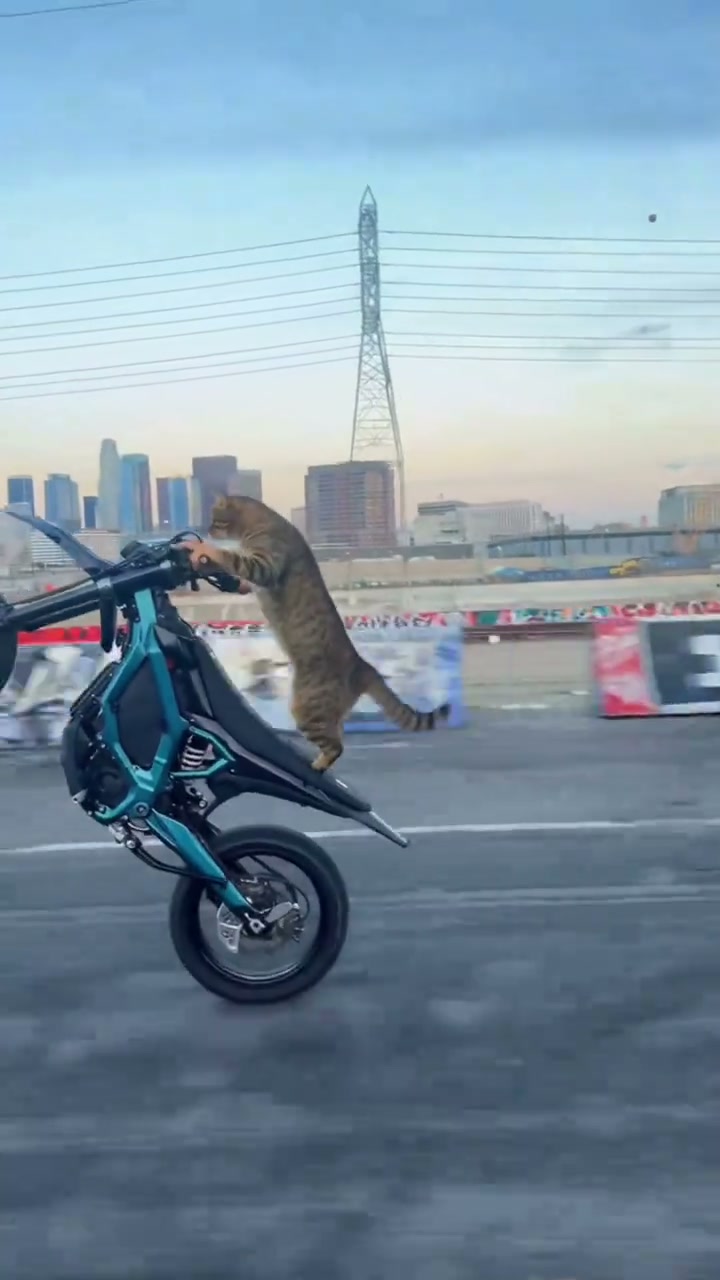
#ChristmasCatBand,#singingcat, and#merrychristmas. - Explore other viral pet trends: Looking for more creative pet video ideas? Cast your cat or dog in Cat Riding Dirt Bike AI or read our cat stunt photo guide to make high-energy animal comedy videos.