See Man in Van Rap AI in Action — No Prompt Writing Needed
Generated from two adult portraits—no vehicle cab filming, no audio editing, and zero manual prompt writing.
Man in Van Rap AI casts you and a friend inside a commercial van cab rapping to an energetic UK drill beat. Using 1 or 2 portrait photos on Viral AI Video generates an 9-second widescreen MP4 starting at 5 credits (Standard 480p) with zero prompts.
- 1Input needed: 1 or 2 front-facing adult portraits with visible faces and natural lighting.
- 2Seating modes: Both Seats (duo), Driver Only (steering behind wheel), or Passenger Only (hype-man).
- 3Matched timeline: 0.0–2.0s intro rhythm lean, 2.0–4.5s aggressive drill bars, 4.5–7.0s wheel gestures, 7.0–9.0s closing hype bars.
- 4Formats & options: native 16:9 widescreen recommended, with 9:16 vertical and 1:1 square options across Standard, Fast, Pro, and Ultra tiers.
- 5Transparent pricing: starts at 5 credits (9s, Standard 480p); failed tasks automatically return reserved credits in full.
- Clip Length
- 9 Seconds
- Entry Cost
- 5 Credits (480p)
- Aspect Ratios
- 16:9 · 9:16 · 1:1
- Photo Input
- 1 or 2 Portrait Photos
Why the Van Rap Format Works
Short-form rap comedy thrives on everyday relatability. Placing two friends inside the functional, bright interior of a commercial trade van while delivering energetic bars creates instant visual humor. Instead of a glossy studio or a sterile green screen, the van cabin grounds the performance in authentic road-trip spontaneity.
Key structural qualities in the preset keep engagement high from the first second:
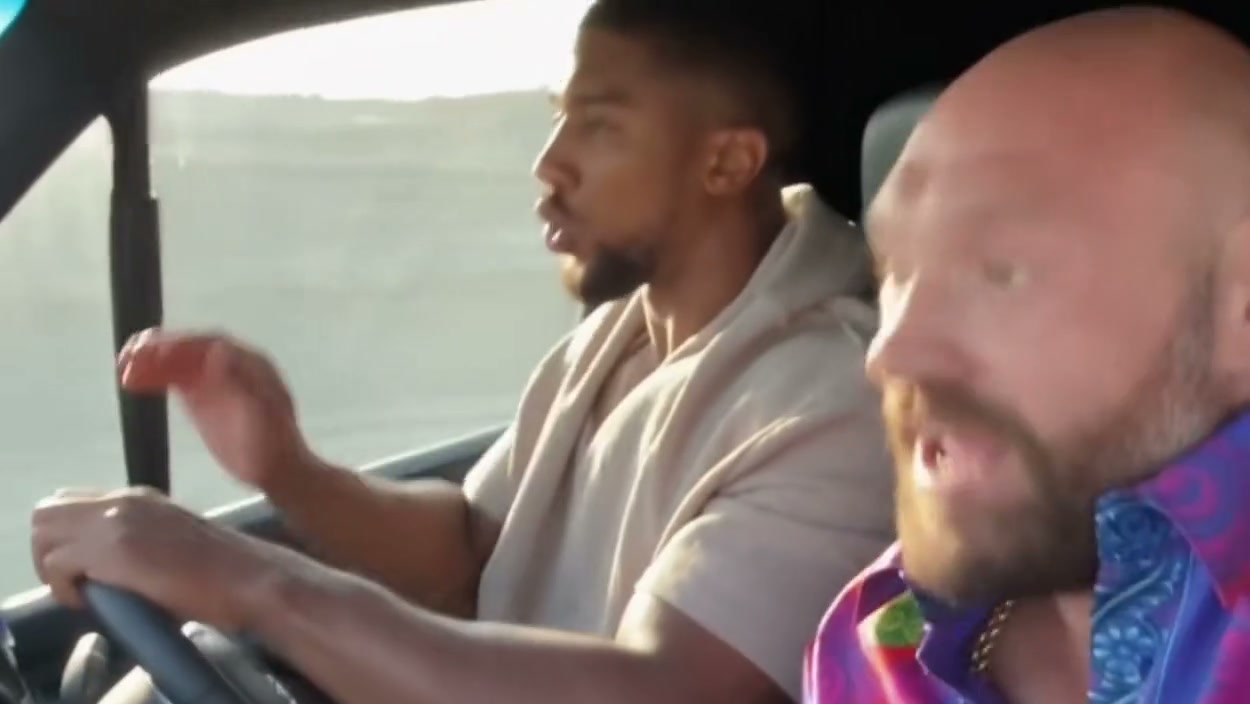
- Dual-seat chemistry: The dashboard camera angle captures both the focused driver steering through traffic and the expressive passenger leaning into the lens, creating natural comedic balance.
- Widescreen spatial depth: Formatting the clip in native 16:9 widescreen allows both performers ample shoulder room while keeping the dashboard, steering wheel, and passing highway scenery in crisp perspective.
9-Second Shot-by-Shot Beat Breakdown
| Timestamp | Phase | What Happens on Screen | Why Your Photo Matters Here |
|---|---|---|---|
| 0.0s – 2.0s | Intro Hook | The driver grips the steering wheel mouthing the rhythm while the passenger leans forward into the dashboard camera opening wide to the opening bass drop. | Clear eye contact and relaxed facial posture anchor identity likeness before fast hand movements begin. |
| 2.0s – 4.5s | Drill Delivery | The passenger aggressively drops rap bars, pointing directly forward with one hand while the driver nods in sync and maintains steady steering. | Photos showing natural clothing styling (hoodies, tees, jackets) integrate seamlessly with the commercial van interior. |
| 4.5s – 7.0s | Rhythm Accent | The driver briefly lifts one hand from the wheel to gesture with the beat while the passenger tilts back delivering expressive open-mouth bars. | Natural daylight in source portraits ensures facial lighting matches the sunlight streaming through the cabin windshield. |
| 7.0s – 9.0s | Hype Payoff | The passenger closes the verse with animated two-handed hype gestures and a broad smile while the driver maintains steering control. | Single-subject photos prevent background faces or extra limbs from bleeding into the vehicle seats. |
How to Pick the Best Portrait Photos (Zero-Prompt Workflow)
Because the studio handles camera angles, cabin environment, and choreography on the server, you never write prompts. Choosing clear input photos is the main factor determining sharp facial identity and realistic clothing continuity.
High-Accuracy Photos vs. Common Upload Mistakes
Because this effect runs on a locked motion preset with zero prompt typing, photo selection accounts for most of the final quality.
Upload Photos Like This
- Front-facing or slight three-quarter portrait where both eyes, nose, and mouth are clearly visible.
- Even daylight or bright indoor lighting that illuminates natural skin tones and facial structure.
- Plain, uncluttered background with only one person in the uploaded frame.
- Upper-body framing showing shoulders and neck to preserve personal clothing styling.
- Natural bare face without dark sunglasses, heavy filters, or bulky hats blocking eye expression.
Avoid These Mistakes
- Group photos with multiple faces in a single character slot.
- Dark backlit photos where silhouettes obscure facial recognition.
- Extreme close-ups cut off at the chin or forehead with no hair or clothing context.
- Heavily airbrushed or filtered images that flatten natural skin textures.
- Unauthorized celebrity images or photos used without proper consent.
Have Your Photos Ready? Launch Straight Into the Studio
Pick your portraits to carry them into the Man in Van Rap AI studio pre-loaded—review your exact credit estimate (from 5 credits at 480p) and generate in seconds.
 1 or 2 Portraits
 9s MP4
Preset Video vs. CapCut Templates: Which Should You Use?
Creators searching for "man in van rap CapCut template" or "Pioneer van rap meme" usually want a quick way to create the trend without advanced editing software. Both tools serve different creative workflows:
Man in Van Rap AI Preset vs. CapCut Templates
| What Matters | Viral AI Video Preset | Typical CapCut Template |
|---|---|---|
| How performers appear | Synthesizes realistic 3D head nods, lip articulation, and hand gestures guided by the built-in van motion reference. | Places 2D cutouts or static photo overlays on top of pre-rendered background video footage. |
| Vehicle cab motion synthesis | Naturally blends facial identity and clothing with the steering wheel, daylight cabin, and highway motion. | Relies on fixed cutout slots that do not animate realistic body turns or hand gestures. |
| Manual editing required | Zero prompts or keyframes—upload 1 or 2 photos, pick your model, and generate in one click. | Requires mobile app installation, manual photo alignment, and export adjustments. |
| Resolution & aspect ratio options | Supports native 16:9 widescreen, 9:16 vertical, and 1:1 square at 480p, 720p, and 1080p resolution tiers. | Generally restricted to the original creator’s vertical template format. |
| Credit model vs. subscription | Starts at 5 credits per 9s clip; purchased packs never expire and failed tasks auto-refund in full. | Free base features with premium filters and watermark removal tied to recurring subscriptions. |
Audio, Previewing & Posting Tips
Before sharing your finished van rap video to TikTok, Instagram Reels, or YouTube Shorts, keep these essential steps in mind:
- Preview motion and audio before downloading: Watch the full preview to ensure facial likeness and hand gestures look natural. The browser preview automatically bundles the synchronized UK drill track.
- Attach trending audio on publishing apps: While desktop downloads include the companion track, attaching the official trending sound on TikTok or Reels boosts algorithm discovery and feed placement.
- Toggle AI content disclosure where required: Enable the AI-generated content flag on TikTok and Reels to stay compliant with short-form platform policies. Looking for more UK rap energy? Step into the park cypher with Stormzy Shut Up AI or explore our outdoor rap filming tips.